SQL Server replication copies and distributes database objects between instances, then keeps those instances synchronized. It's a built-in Microsoft SQL Server feature that enterprises rely on for high-availability systems, reporting offloads, disaster recovery, and geographic data distribution.
Key takeaways
SQL Server replication uses three roles: Publisher, Distributor, and Subscriber
Four replication types cover different latency, frequency, and topology needs: snapshot, transactional, merge, and peer-to-peer
Native replication requires configuring and maintaining four separate agents
CData Sync replaces the full agent stack with a single scheduled job and no T-SQL required
SQL Server Management Studio (SSMS) is a convenient tool for replicating SQL Server databases, though it has limitations. For replication beyond SQL Server, CData Sync provides the tools needed to implement automated, continuous, customizable database replication to hundreds of destinations.
What are the key components of SQL Server replication?
There are three main roles in MS SQL database replication: Distributor, Publisher, and Subscriber. A Distributor is an MS SQL database instance configured for collecting transactions from publications and distributing them to subscribers. A Distributor acts as the database for storing replicated transactions. A Subscriber is a server that receives replicated data.
Each of these roles has additional components, typically involving associated databases. The components involved in SQL Server replication include:
Publisher DB: A database instance that makes data available to other locations through SQL Server replication. The Publisher can contain multiple publications, each defining a logically related set of objects and data to replicate.
Distribution DB: An optional server that acts as an intermediary between the publisher and subscribers. It stores the article details, data, and replication metadata and manages the distribution process.
Subscriber: The server that receives the replicated data. It acquires the SQL Server replication data from a publication. The Subscriber can receive data from one or more publications and Publishers.
Subscription DB: The target database of a replication model.
Articles: The basic units of SQL Server replication. Articles are made up of views, tables, and stored procedures. The filter option scales an article either vertically or horizontally, and multiple articles can be created on a single object with customized limitations.
Publication: A logical collection of articles and the associated information needed to replicate them. Publication allows article properties to be defined and configured at the group level so all articles in that group are inherited.
Subscription: A request for a copy of a publication on a specific subscriber.
Agents: SQL Server components that act as background services for relational database management systems. They can be used to schedule the execution of jobs, such as MS SQL database backup and replication. There are five types of agents: Snapshot, Log Reader, Distribution, Merge, and Queue Reader.
CData Sync maps directly onto this model: the SQL Server source acts as the publisher, the destination warehouse or database acts as the subscriber, and CData Sync itself replaces the distributor and all its agents, removing the need to manage agent credentials, polling intervals, and distribution database storage separately.
What are the four types of SQL Server replication?
There are four types of replication available to SQL Servers, each serving different purposes:
Replication type | Description | Best use case | Data change frequency |
Snapshot | A point-in-time copy of the data is taken from the publisher and applied to the subscribers | Reference data, catalog tables, small to medium-sized databases where data changes are infrequent | Low; data changes infrequently |
Transactional | Captures and replicates individual transactions from the publisher to the subscribers in near real time | Improving scalability and availability, data warehousing and reporting, integrating data from multiple sites, offloading batch processing | High; data changes frequently |
Merge | Distributes data from Publisher to Subscribers, allowing both to make updates while connected or disconnected, then merging updates between sites | Scenarios where updates can occur at multiple locations and need to be synchronized | Variable; changes at multiple locations |
Peer-to-peer | The publisher replicates data to multiple subscriber servers at the same time, maintaining copies across different server instances (nodes) | Coordinating among multiple data center locations around the world | High; all nodes read and write |
Transactional replication suits continuously changing data; merge fits nodes that operate offline; snapshot covers static or scheduled refreshes; peer-to-peer applies when every site needs equal read and write capability.
CData Sync supports all four patterns through its full replication, incremental, CDC (change data capture), and History Mode jobs, without destination lock-in to SQL Server-only subscribers.
How to configure SQL Server replication: step-by-step
Setting up a replication involves configuring publications, defining articles, creating subscriptions, and monitoring the replication process. Choosing the right replication type depends on three factors: database size, how frequently data changes, and the specific use case.
Although replication is a feature, it also introduces complexity. Proper planning and maintenance are essential for success.
Quick-reference checklist for configuring SQL Server replication:
Verify permissions and install required components on all participating servers
Configure the distribution database and define the distributor
Specify which publishers have access to the distributor
Create a publication and define the articles to replicate
Configure publication properties such as replication type and snapshot schedule
Define subscribers and the destination databases that will receive replicated data
Initialize subscribers through snapshot files or backup/restore methods
Start the replication process and verify agent status
Monitor replication latency and confirm data consistency
Implement conflict resolution and failure recovery procedures
Detailed setup steps
Prepare the environment
Create a distribution
Define the distribution name and properties
Configure the replication distribution database
Specify the Publishers to have access to the Distributor
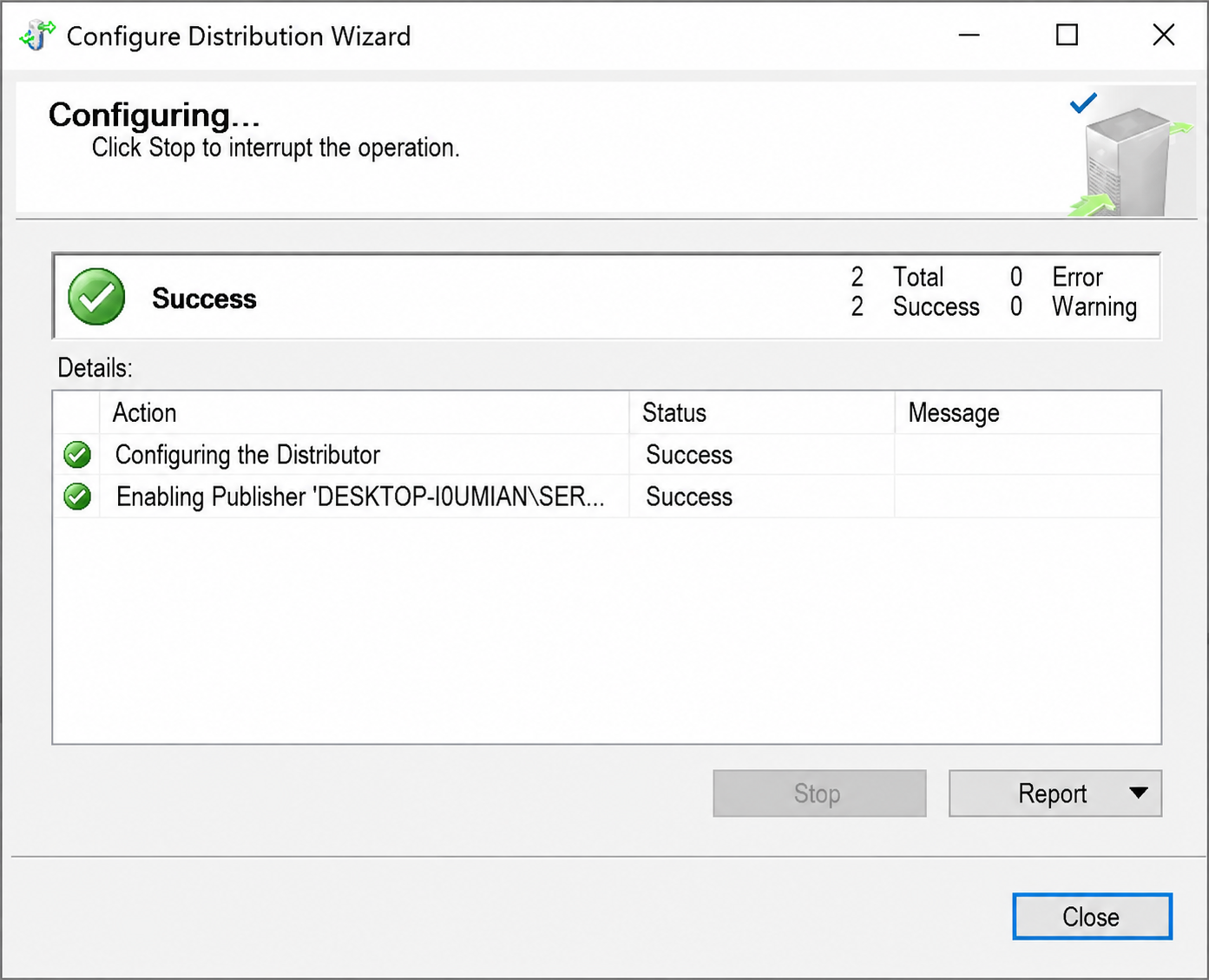
When finished, the Configure Distribution Wizard shows a success confirmation:
Create a publication
Define the database articles to be replicated (tables, views, stored procedures)
Configure publication properties, such as snapshot or transactional replication
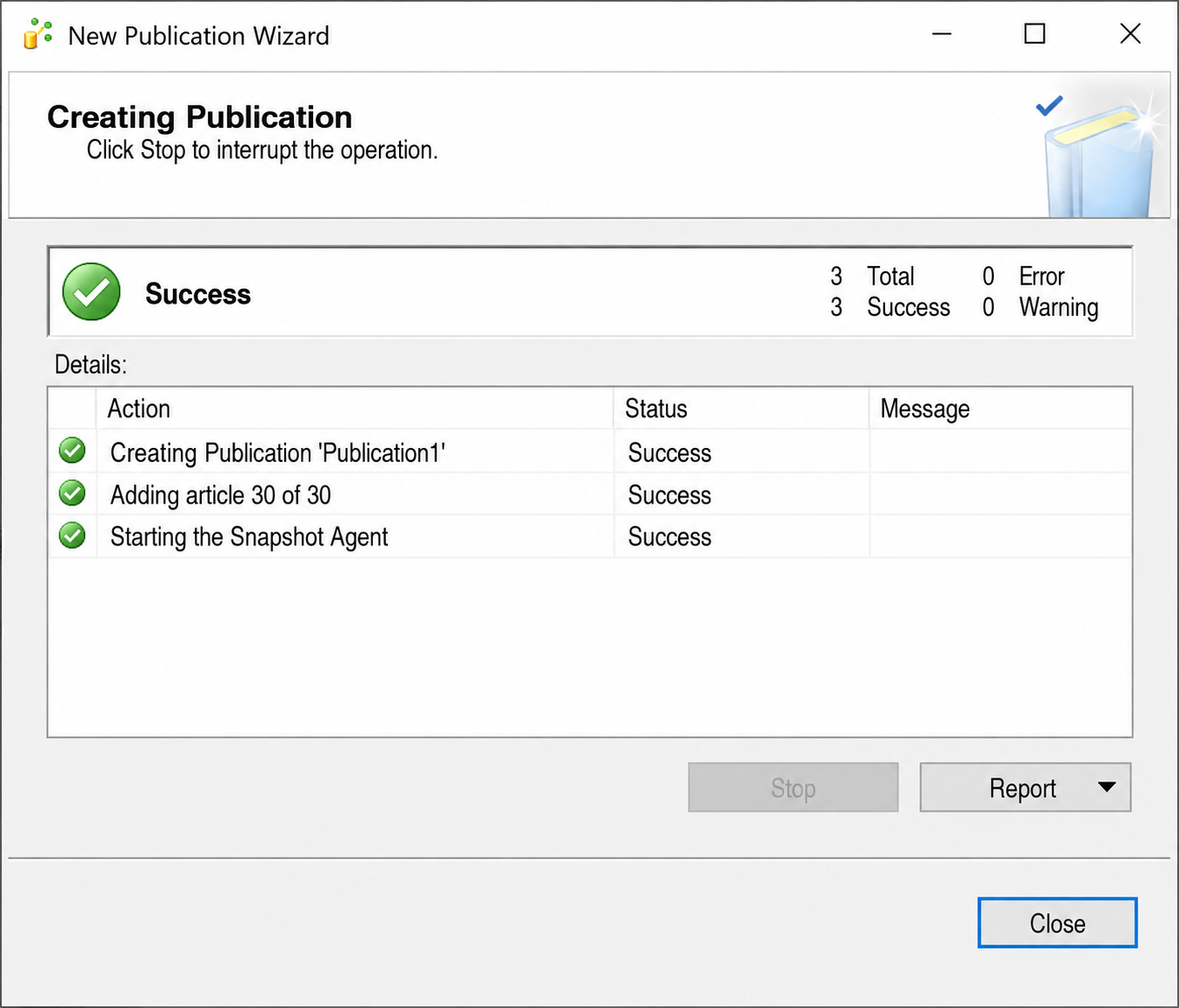
When the publication is created successfully, the New Publication Wizard shows a success window:
Configure subscribers
Initialize subscribers
Initialize Subscribers through snapshot files or by using backup/restore methods
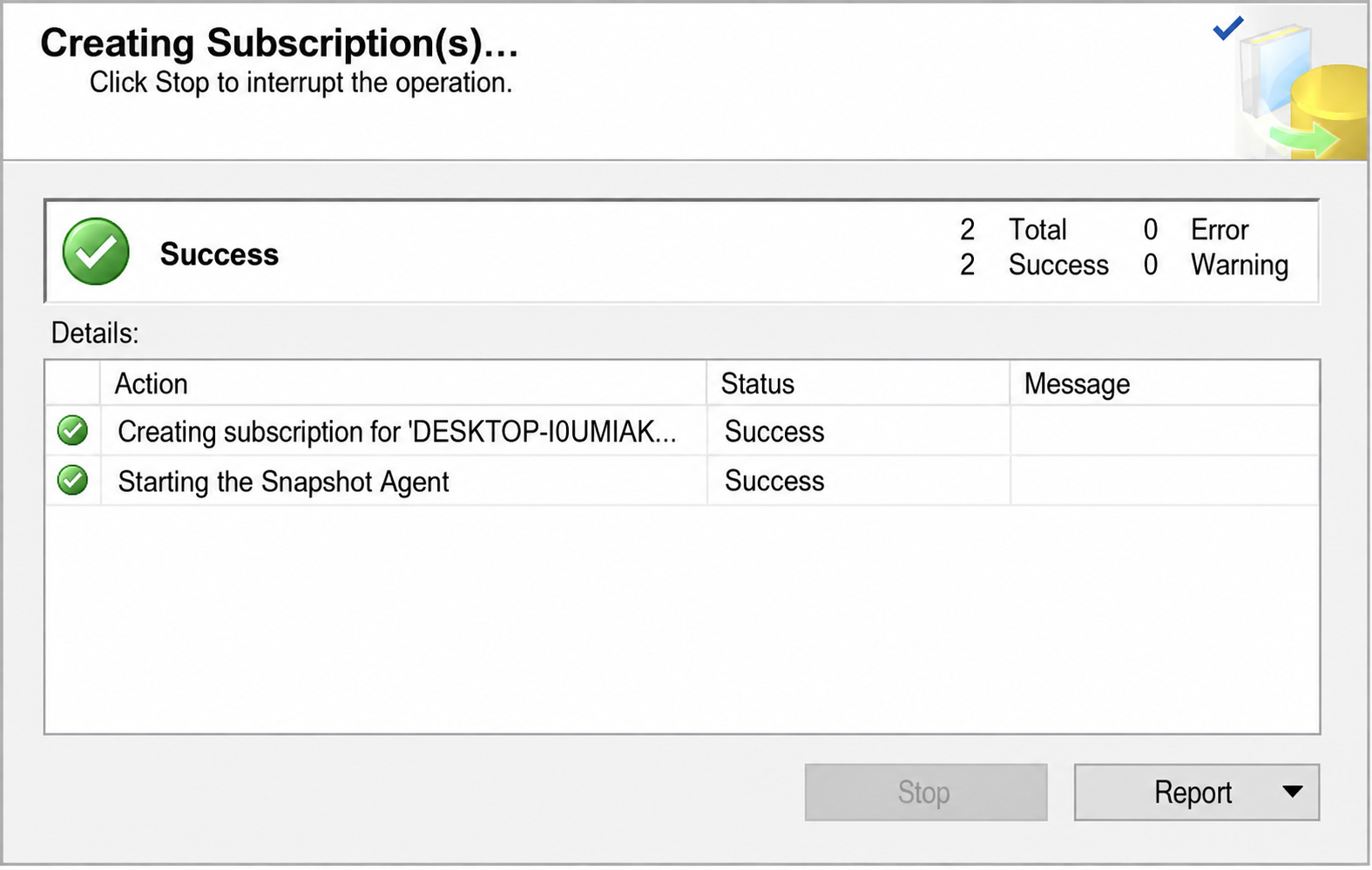
When initialization is complete, the subscription wizard shows a success window:
Start replication
Monitor and maintain
Regularly monitor the replication for any errors or latency
Perform routine maintenance tasks such as cleaning up old data, optimizing indexes
Handle failures and conflicts
Implement conflict resolution mechanisms, especially in merge replication scenarios
Have a plan for handling replication failures and resuming replication
These steps provide a high-level overview, and the specific details may vary based on your SQL Server version and the exact requirements of your environment. For version-specific details, refer to the official Microsoft SQL Server replication documentation.
How does CData Sync simplify SQL Server replication?
CData Sync simplifies SQL Server replication in three steps.
Configure SQL Server as a replication source or destination
Since connecting to SQL Server instances as both the source and the destination uses the same instructions, configure a SQL Server connection twice; once for the source database and once for the target database. These correspond with the Distributor and Subscriber respectively (CData Sync acts as the go-between, eliminating the need for a Publisher).
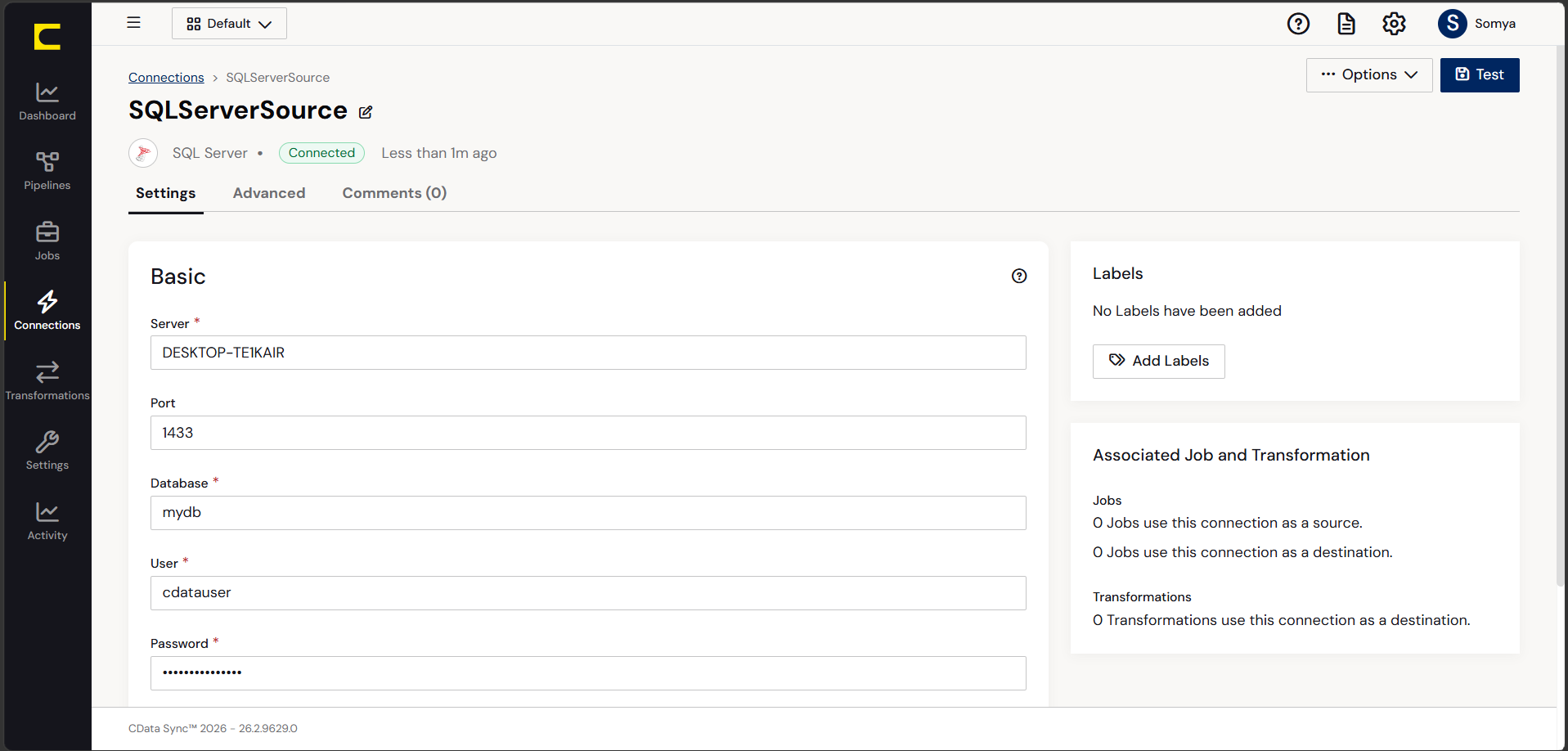
From the Connections page, add and configure a SQL Server connection. The host of the SQL Server instance determines how to connect.
Connecting to Microsoft SQL Server
Connect to Microsoft SQL Server using the following properties:
User: The username provided for authentication with SQL Server
Password: The password associated with the authenticating user
Database: The name of the SQL Server database
Connecting to Azure SQL Server and Azure Data Warehouse
Set the following properties to authenticate to Azure SQL Server or Azure Data Warehouse:
Server: The server running Azure. Find this by logging into the Azure portal and navigating to SQL databases (or SQL data warehouse > Your database > Overview > Server name)
User: The name of the user authenticating to Azure
Password: The password associated with the authenticating user
Database: The name of the database, as seen in the Azure portal on the SQL databases or SQL warehouses page
After configuring the connection, click Create and Test to confirm.
Configure replication queries
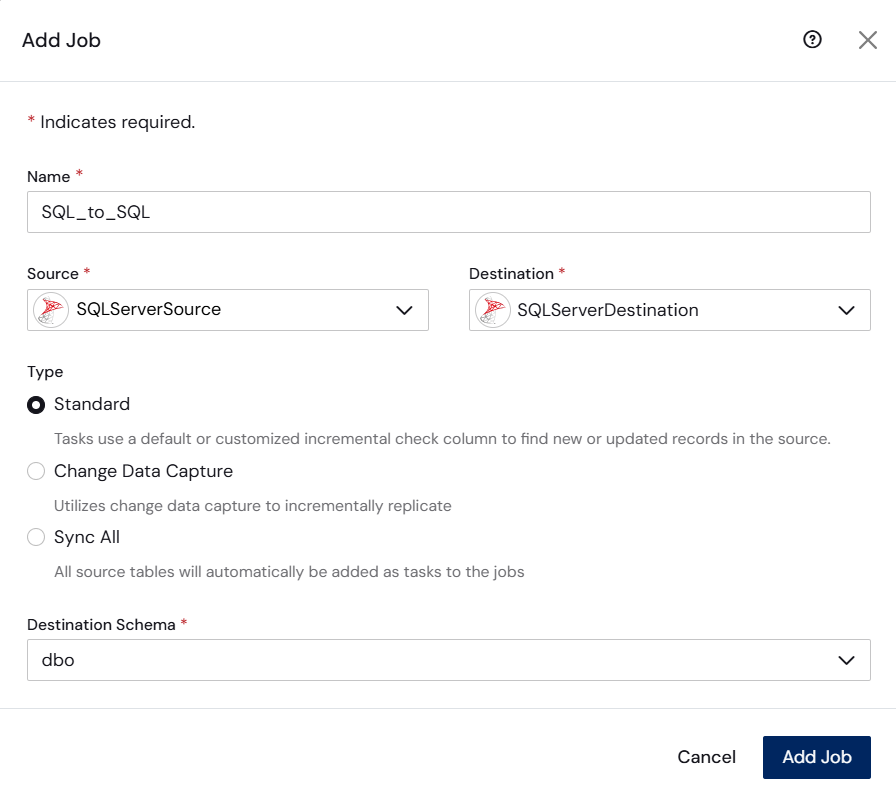
CData Sync controls replication with a point-and-click interface and SQL queries. From the Jobs page, Add Job opens a job configuration screen where the source and destination are selected.
Replicate entire tables
To replicate an entire table, click Add Tables in the Tables section, choose the tables to replicate, and click Add Selected Tables.
Customize your replication
The Columns and Query tabs allow further customization. The Columns tab specifies which columns to replicate, renames columns at the destination, and supports operations on source data before replicating. The Query tab adds filters, grouping, and more.
Schedule the replication
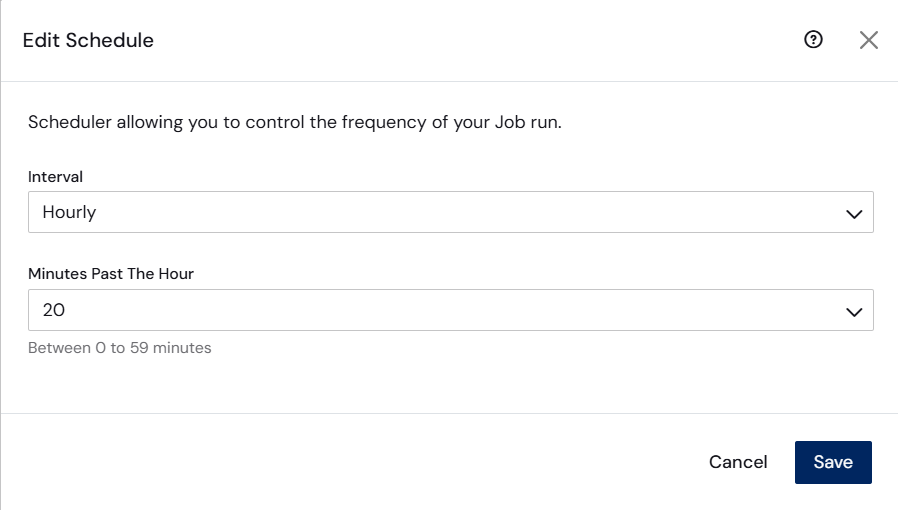
In the Schedule section, configure the job to run automatically at intervals ranging from every 10 minutes to once per month. After configuring the replication job, click Save. Any number of jobs can be configured to manage the replication of your SQL Server data.
Why use CData Sync for SQL Server replication?
CData Sync does what can't be done in SQL Server Management Studio. With SSMS, you can set up distribution, publication, and subscription to and from instances of SQL Servers. But with Sync, you have access to the full range of hundreds of sources and destinations, including SQL Server, PostgreSQL, MySQL, Oracle, SAP HANA, Snowflake, Redshift, Azure Synapse, BigQuery, and many others.
CData Sync integrates live SQL Server data into mirrored databases, always-on cloud databases, and other types of databases quickly. Automated, continuous replication is supported : create a job once and schedule it for automatic execution whenever you want.
Incremental replication via CDC or row data is also supported, replicating data using the last modified column, the integer count column, or version column.
CData Sync also handles in-flight ETL (extract, transform, load) and in-place ELT (extract, load, transform) transformations, and supports any combination of on-premises and cloud servers, not just SQL Server to SQL Server.
Frequently asked questions
What is the difference between snapshot and transactional replication?
Snapshot replication copies the full dataset at scheduled intervals and suits infrequently changing data. Transactional replication continuously streams individual committed transactions to subscribers and is designed for high-volume environments where data changes frequently.
When should merge replication be used?
Merge replication works best when both the publisher and subscriber need to make updates independently, such as with mobile field teams or disconnected systems that sync when reconnected. It supports conflict resolution to handle updates made at multiple locations.
What does the Distributor do in SQL Server replication?
The distributor is an intermediary SQL Server instance that stores replicated transactions from the publisher and manages their delivery to subscribers. It acts as the buffer and router in the replication topology, tracking what has been sent and to whom.
Can SQL Server replication work across different server versions?
Microsoft supports replication across SQL Server versions, with specific rules: the distributor must run the same version or newer than the publisher, and subscriber compatibility depends on publication type. Check Microsoft's official backward compatibility documentation before configuring cross-version replication.
Can CData Sync replace traditional replication agents?
Yes, CData Sync replicates data without native agents using its connectors and scheduled jobs, delivering comparable replication with a zero-code configuration interface.
Replicate SQL Server data with CData Sync
CData Sync extends SQL Server replication beyond SQL Server-only subscribers, moving data to hundreds of destinations, including Snowflake, Redshift, Azure Synapse, and BigQuery. Built-in CDC, automated scheduling, governance controls, and connection-based pricing that scales predictably come included. No agent configuration, no distribution databases, and no custom code required.
Start a free 30-day trial today.





