I work in marketing, but I do a little data analysis and reporting on the side now. And you should too.
Creating dashboards and reports to answer questions related to my work used to mean reaching out to a data team to move the data to a warehouse, a modeling team to create a data model with context, and an analyst team to build out a report that made sense. Now, I build my own reports in AI tools like Claude and easily share them with my team and the organization.
AI has helped enable a shift towards self-service reporting for CData and in this piece I’ll show you what this looks like in practice today.
The tooling shift for reporting
Part of the bottleneck and one of the biggest challenges with the traditional way of doing things was that the tools for reports and dashboards required specific training and expertise. I couldn’t build an ETL pipeline, create a semantic model, and then design a slick dashboard in Power BI. And even if I could, that process could take days for every report I wanted to build and update.
That process creates wait times, and when the pipeline can’t keep up, people resort to building their own spreadsheets and reports based on data they pulled from CSV exports. Or, even worse than that, they give up asking the question they wanted to answer.
AI tools are giving more opportunities to build your own reports, so the process behind how reports are built must evolve fast to keep up with the tools everyone uses. Since everyone has access to AI tools like Claude and ChatGPT, everyone can create dashboards and reports. The move now is to give AI tools the same governed, live data layer the data team would use. So, business users like you and me, who were already going around IT, have a path to building dashboards that are built on trusted data.
At CData, every team is involved in this and almost every leader, including our CRO, CPTO, and CMO, are writing, publishing, and sharing reports. Arielle Daigle, our VP of Demand Gen, is a great example. She built a dashboard specifically for our internal funnel review meetings, that refreshes every day from Google Analytics, Salesforce, Stripe, and other sources, and a year ago she didn't think that was possible:
"If you had asked me a year ago if I would be sitting there building agents and dashboards, I would have said, that'd be nice, but there's no way I have the time to learn how to do that."
She brought business knowledge; Connect AI brought governed access to the data, and AI tools like Claude gave her the tooling to get it done. Now, Arielle runs every Funnel Review meeting off the dashboards that her and her team built directly and shared.
How CData Reports came together
CData Reports is CData's internal home for hosting reports and dashboards, where any team at CData can create a report, publish it, and keep updating it, without filing a request with a data engineering team or waiting on someone else's queue.
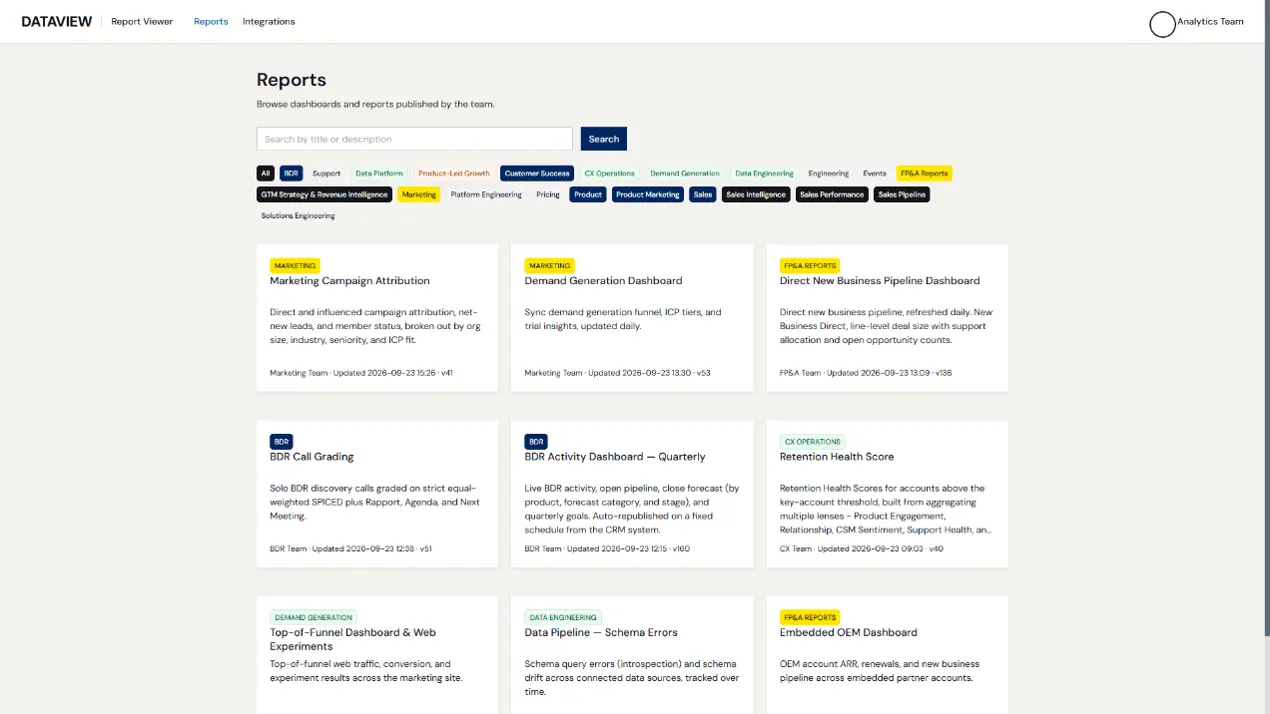
This all came together because CData has seen the same transformation and evolution that every business has seen over the past 2-3 years, AI adoption. AI gave everybody the opportunity to create dashboards that answer hard business questions in a readable way. With more teams enabled to create reports quicker and no native way to share reports through Claude or ChatGPT, we needed a way to make them accessible, easy to find, and updatable, which is one of the more important things for centralized BI.
Under the hood, CData Reports is a custom web application that we host in Azure, with a built-in MCP server. That means any teammate can sign into Claude with our own identity, build a report, and publish it in the same place, with no handoffs in between.
What it looks like end to end for me now
With CData Connect AI and CData Reports enabled in my Claude, I now have everything I need to create, publish, and update my own report built on live data. Here’s a simple example:
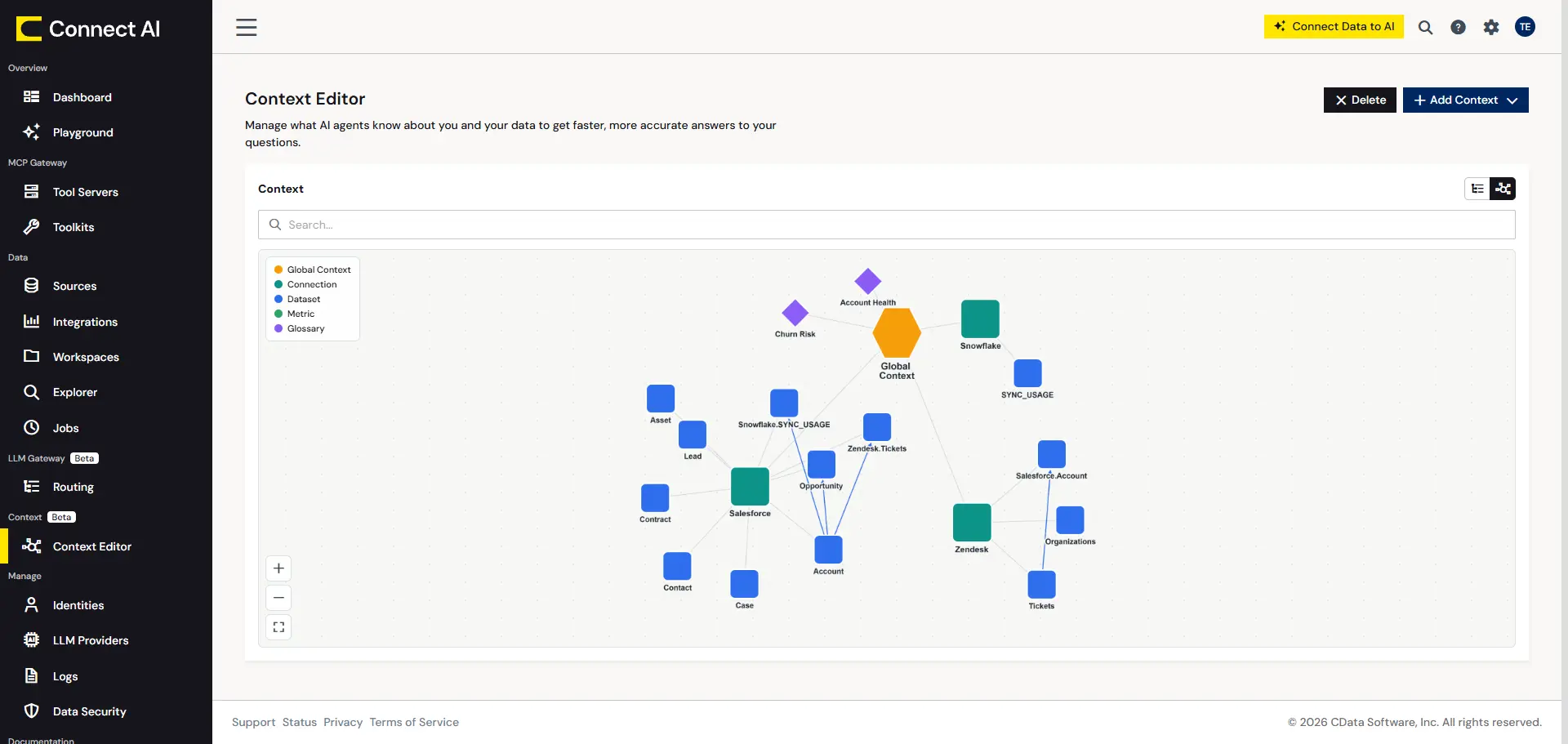
1. In Connect AI, I’m connected to my Salesforce, Zendesk, and Snowflake data. The Context Engine gives Claude, or any AI tool, the context it needs to understand my business systems and their relationships:
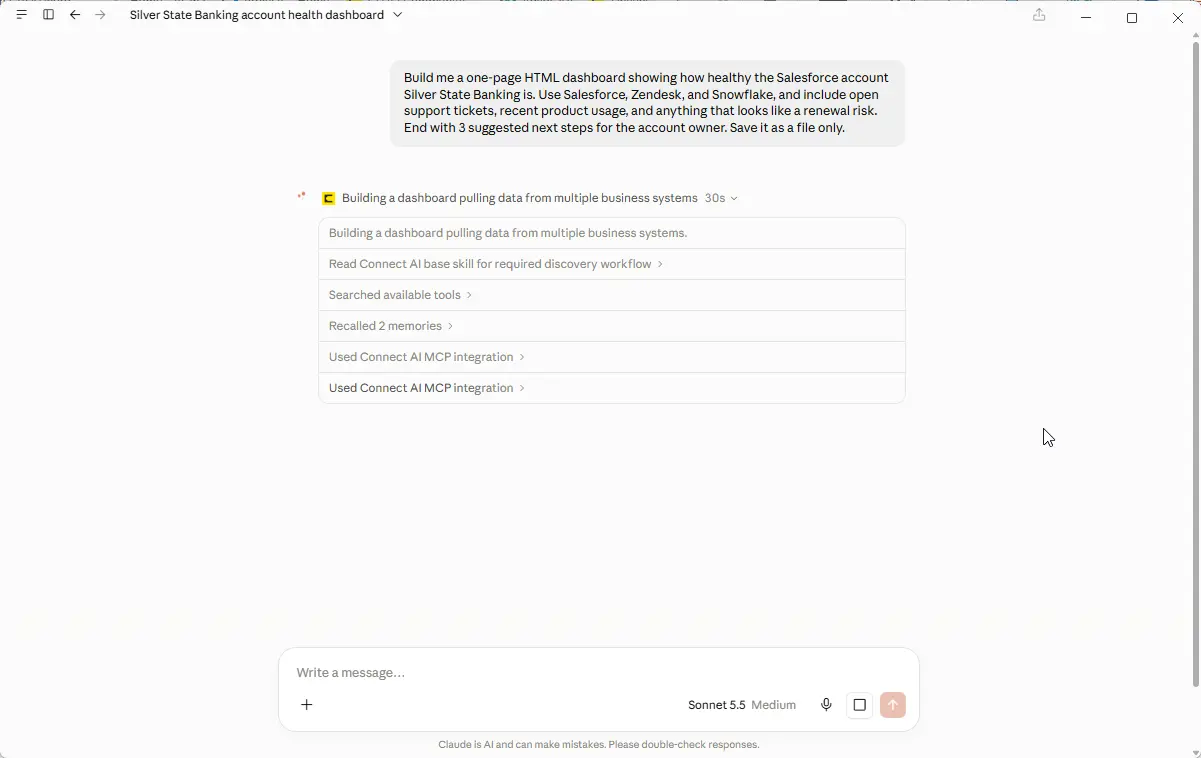
2. With Connect AI enabled in Claude, I can give a prompt, and Claude explores the data to build out the report:
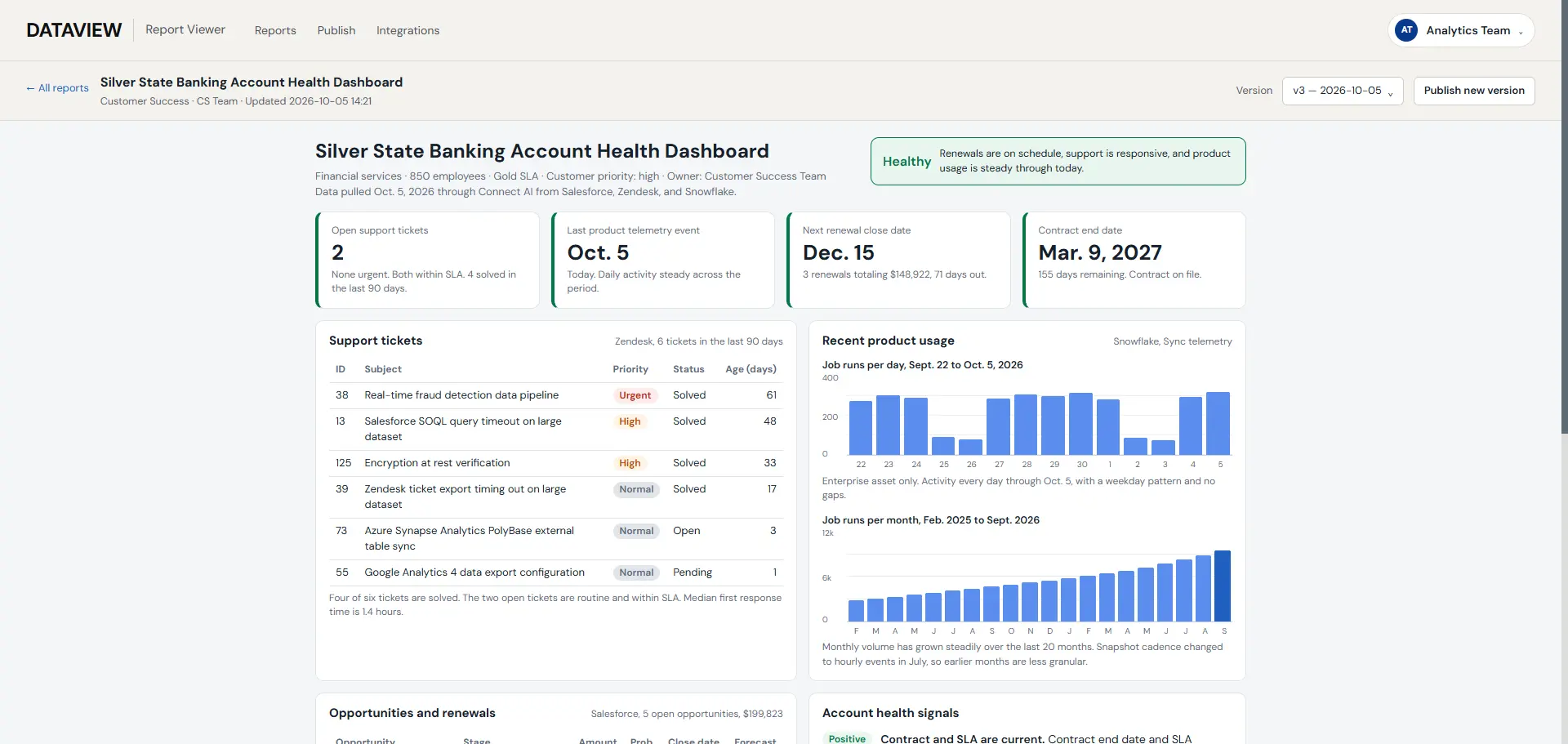
3. With the report built, I can publish it to CData Reports for the whole org to review:
The special sauce behind CData Reports
CData Connect AI is what enables Claude, and any other AI tool, to get governed, live access to enterprise systems so that it can answer your business questions while pulling from the systems you use day to day. Without Connect AI, Claude can only rely on its own training or external data that you feed it. So, rather than handing Claude a stale CSV export from Salesforce, Connect AI provides the tools needed to search through your live Salesforce data with AI.
Those MCP tools come in three layers: a universal toolset that works across every connected source, source-specific tools for a given system, and custom MCP tools you can build internally for any use case. The universal toolset is what sets Connect AI apart from native MCP servers. Most MCP servers ship its own tool names, parameters, and quirks, so the LLM must relearn about every system you're connected to. With the universal toolset, Claude learns one set of tools and applies it to every source, which is what lets a single prompt pull from Salesforce, Snowflake, and Zendesk together.
Every dashboard in CData Reports is built from governed, live access to CData's actual source systems. And Claude works under the same permissions as the person asking, because Connect AI passes each user's own identity through to the source at query time, so no shared credentials, and every query is logged and fully auditable.
Build reports with Claude on live data using CData Connect AI
Self-service reporting with AI works when the person with the question can reach live data under their own permissions. With CData Connect AI, you can give Claude and other AI tools access to Salesforce, Snowflake, and hundreds of other sources.
Start a free trial and build your first report this week.
Frequently asked questions
What is self-service reporting with AI?
It's when a business user describes the report they need in plain language and an AI tool builds it from live company data, under that person's own permissions. The person asking doesn't wait for a data team to move the data, model it, and build the report.
Can I build a report with Claude or ChatGPT on live company data?
Yes, if the AI tool connects to your source systems through a governed layer. With Connect AI, Claude queries your systems directly when it builds the report, and a published report updates when a new version goes out or on a schedule. Check the numbers against what you already know.
Do I need SQL or BI tool experience?
No. You describe the question in plain language, and the AI tool writes the query and builds the report. Knowing your business well enough to spot a wrong number matters more.
Will IT lose visibility if business users build their own reports?
Not when access runs through a governed layer. Each request runs under the person's own permissions and is logged, so IT can see who asked for what.





