







Model, Search, and Visualize Live DB2 Data in ThoughtSpot

ThoughtSpot is a cloud-based analytics platform that uses artificial intelligence (AI) and natural language processing (NLP) to help users analyze data and make decisions. When paired with CData Connect AI, you get instant, cloud-to-cloud access to DB2 data for visualizations, dashboards, and more. This article shows how to connect to DB2 and build visualizations from DB2 data in ThoughtSpot.
CData Connect AI provides a pure SQL Server, cloud-to-cloud interface for DB2, allowing you to easily build models and visualizations from live DB2 data in ThoughtSpot. As you build visualizations, ThoughtSpot generates SQL queries to gather data. Using optimized data processing out of the box, CData Connect AI pushes all supported SQL operations (filters, JOINs, etc) directly to DB2, leveraging server-side processing to quickly return DB2 data.
Configure DB2 Connectivity for ThoughtSpot
Connectivity to DB2 from ThoughtSpot is made possible through CData Connect AI. To work with DB2 data from ThoughtSpot, we start by creating and configuring a DB2 connection.
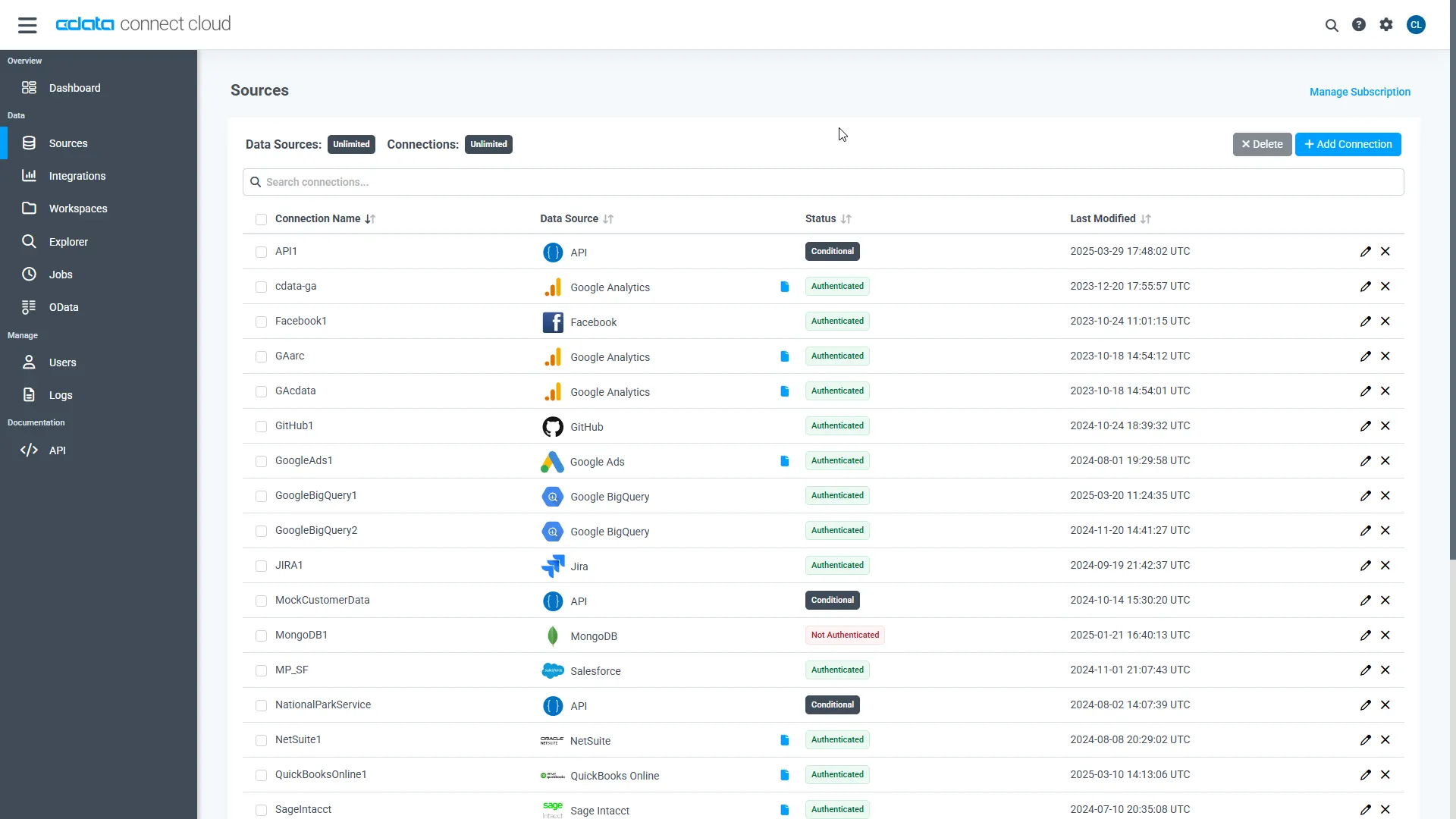
- Log into Connect AI, click Sources, and then click Add Connection
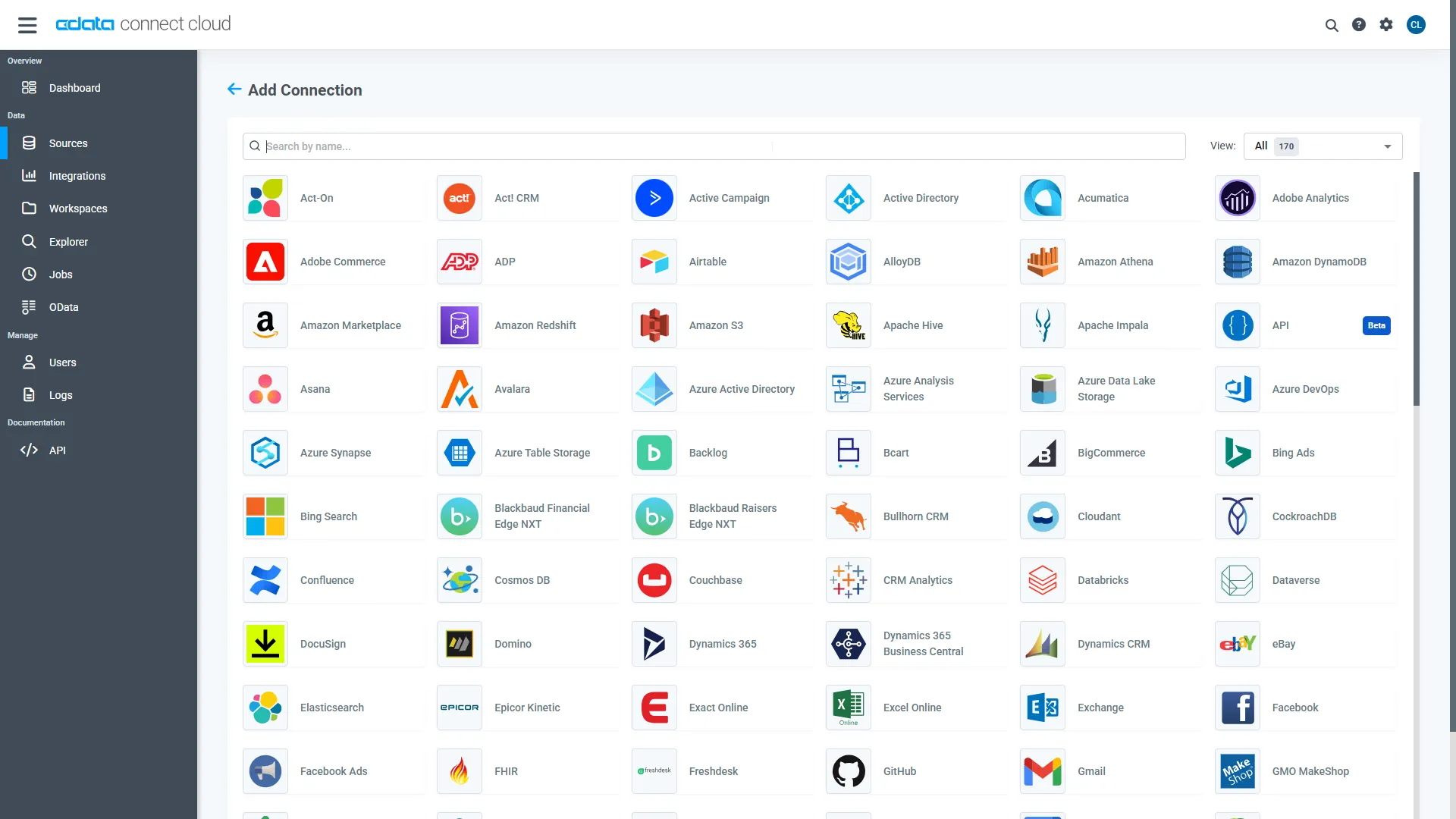
- Select "DB2" from the Add Connection panel
-
Enter the necessary authentication properties to connect to DB2.
Set the following properties to connect to DB2:
- Server: Set this to the name of the server running DB2.
- Port: Set this to the port the DB2 server is listening on.
- Database: Set this to the name of the DB2 database.
- User: Set this to the username of a user allowed to access the database.
- Password: Set this to the password of a user allowed to access the database.
You will also need to install the corresponding DB2 driver:
- Windows: Install the IBM Data Server Provider for .NET.
On Windows, installing the IBM Data Server Provider is sufficient, as the installation registers it in the machine.config.
- Java: Install the IBM Data Server Driver for JDBC.
In the Java version, place the IBM Data Server Driver JAR in the www\WEB-INF\lib\ folder for this application.
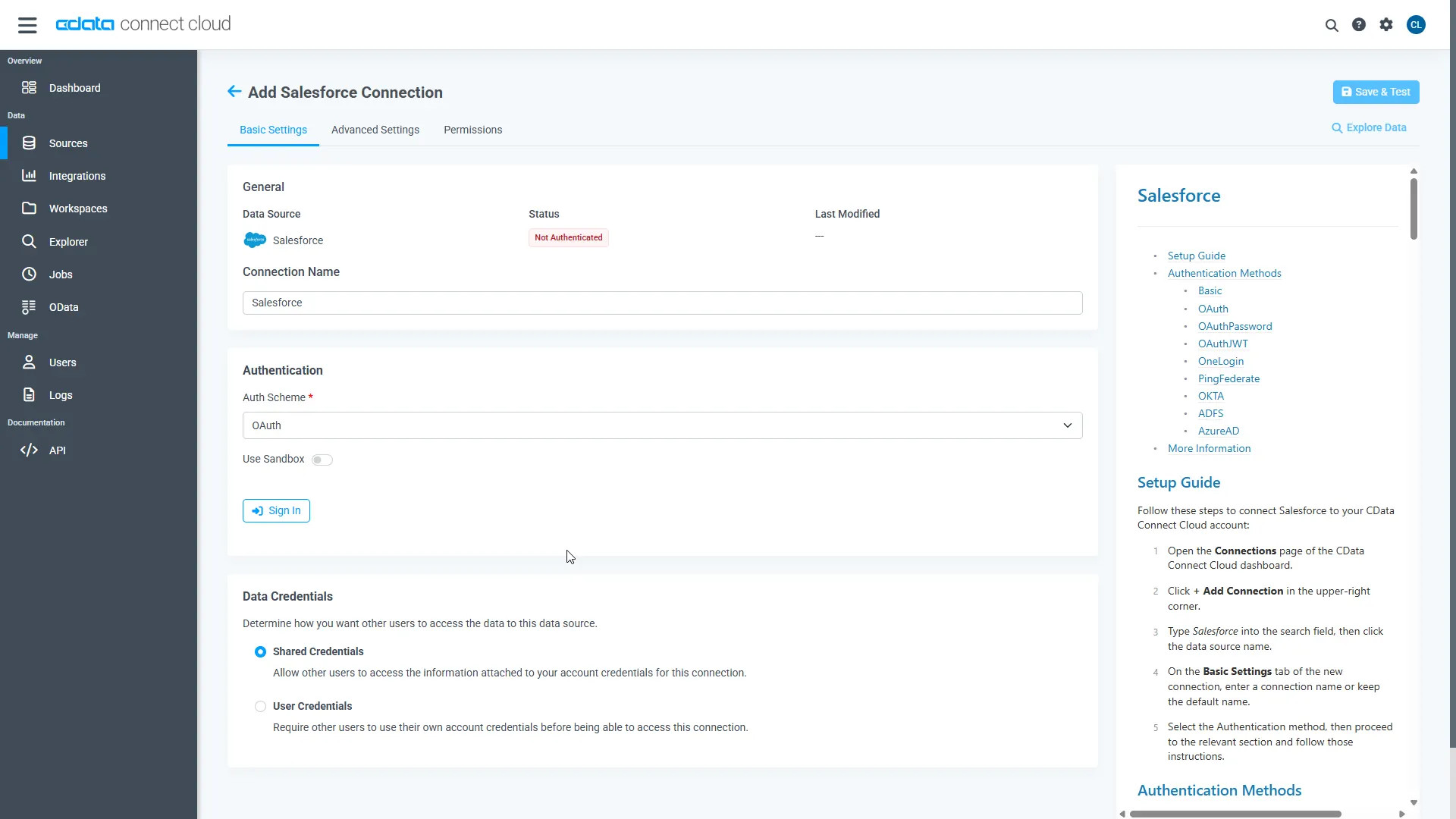
- Click Save & Test
-
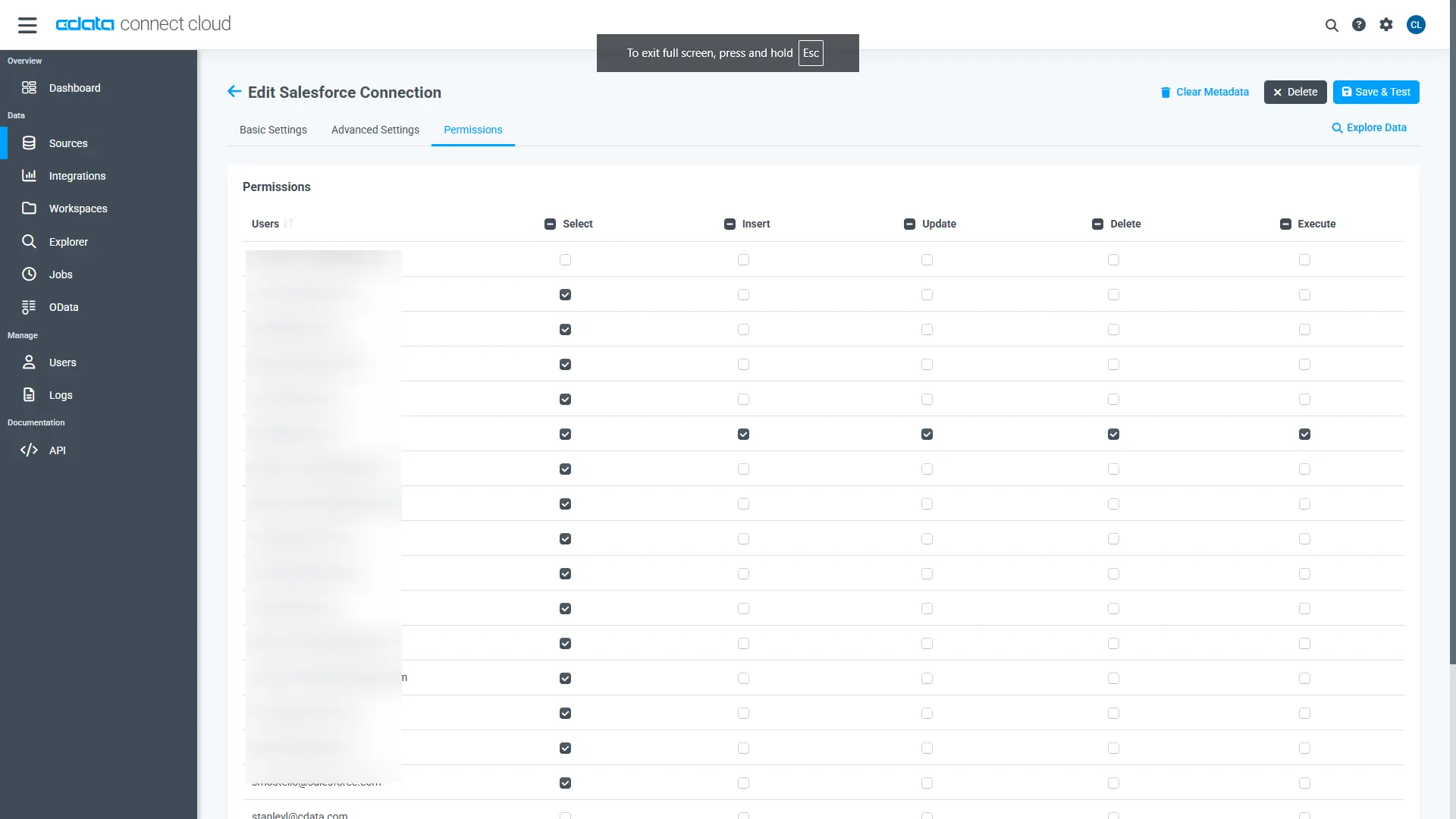
Navigate to the Permissions tab in the Add DB2 Connection page and update the User-based permissions.
Add a Personal Access Token
When connecting to Connect AI through the REST API, the OData API, or the Virtual SQL Server, a Personal Access Token (PAT) is used to authenticate the connection to Connect AI. It is best practice to create a separate PAT for each service to maintain granularity of access.
- Click on the Gear icon () at the top right of the Connect AI app to open the settings page.
- On the Settings page, go to the Access Tokens section and click Create PAT.
-
Give the PAT a name and click Create.
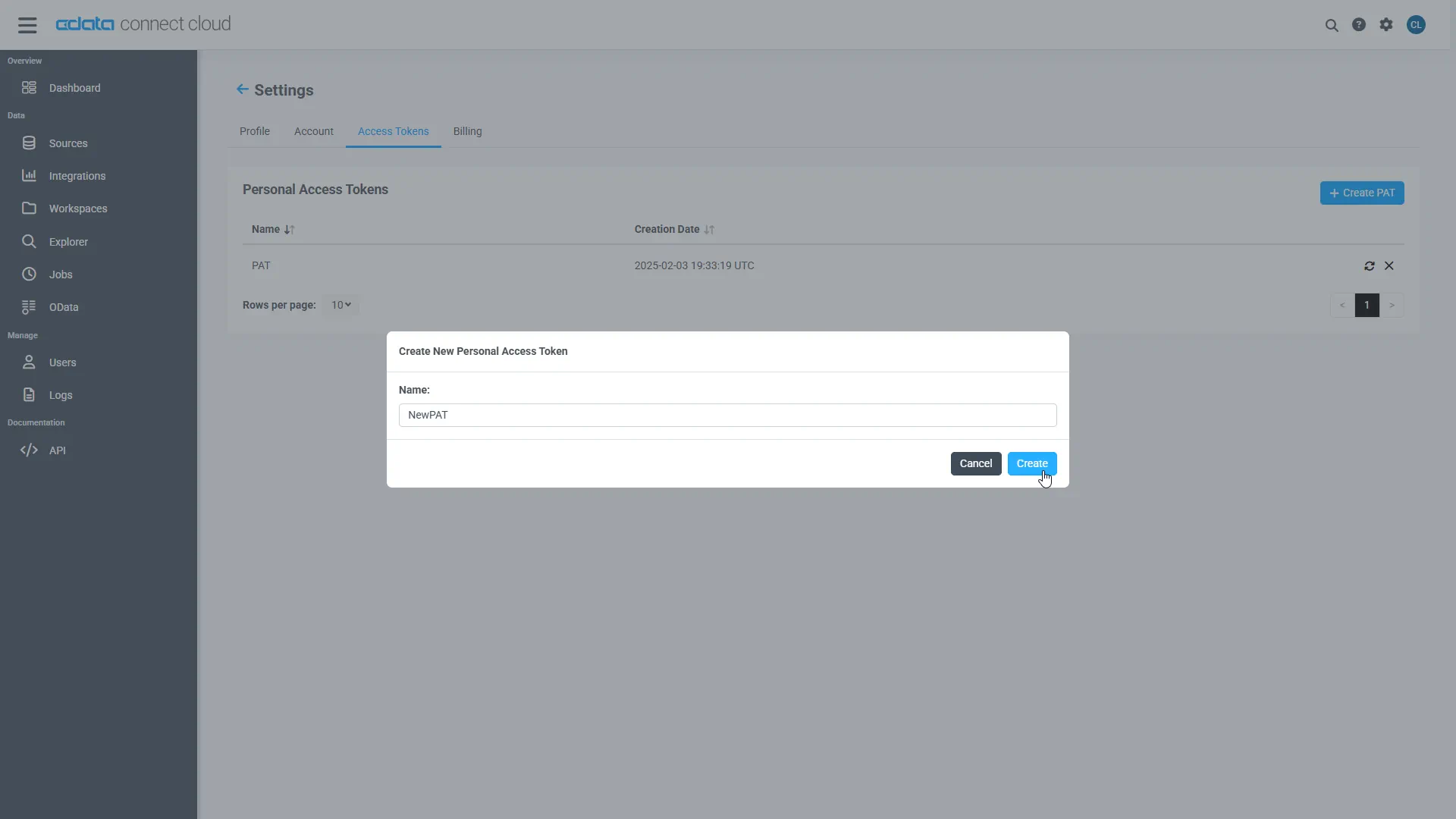
- The personal access token is only visible at creation, so be sure to copy it and store it securely for future use.
With the connection configured and a PAT generated, you are ready to connect to DB2 data from ThoughtSpot.
Model, Search, and Visualize Live DB2 Data in ThoughtSpot
To establish a connection from ThoughtSpot to the CData Connect AI Virtual SQL Server API, follow these steps.
- Log into ThoughtSpot
- On the top navigation bar, click Data.
-
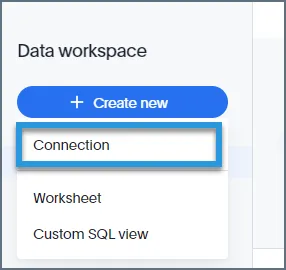
Click Create new > Connection.
-
Name the connection and click "SQL Server" as the data warehouse.
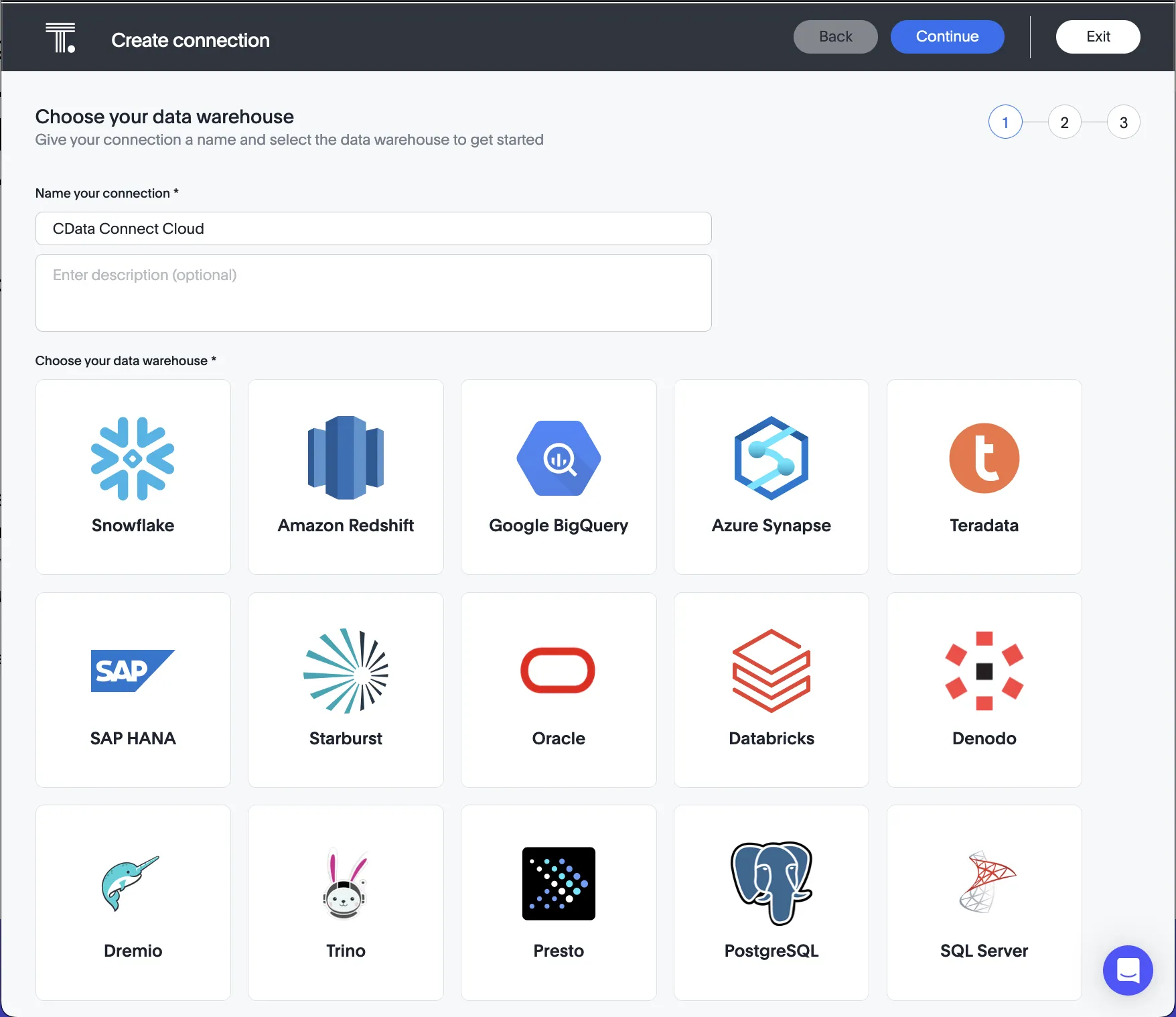
- Click Continue on the top right.
- Enter the connection settings:
- Host: enter the Virtual SQL Server endpoint: tds.cdata.com
- Port: : enter 14333
- Username: enter your CData Connect AI username. This is displayed in the top-right corner of the CData Connect AI interface. For example, [email protected].
- Password: enter the PAT you generated on the Settings page.
- Database: enter the Connection Name of the CData Connect AI data source you want to connect to (for example, DB21).
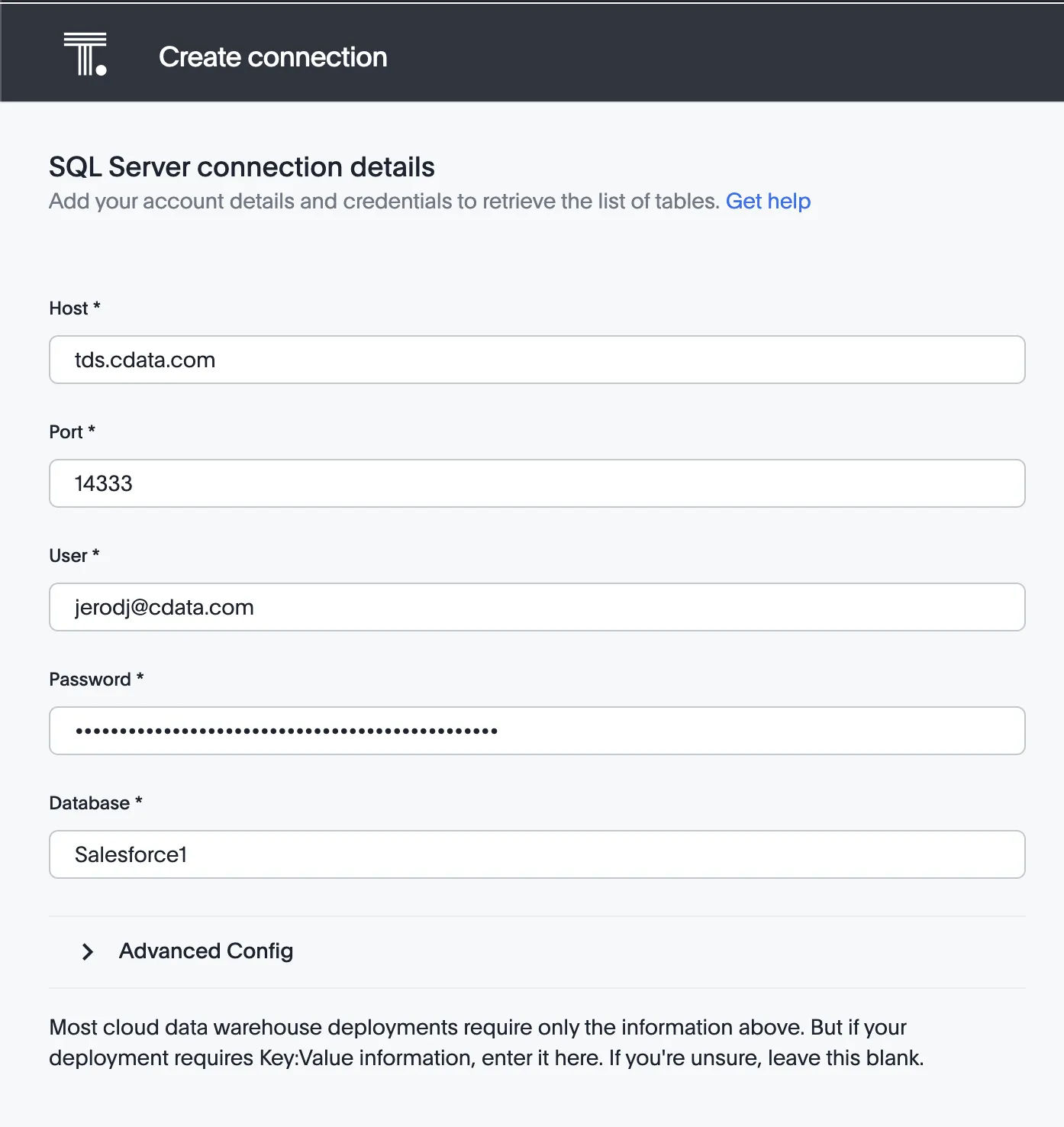
- Click Continue.
- After connecting successfully, you will be able to choose which tables to include.
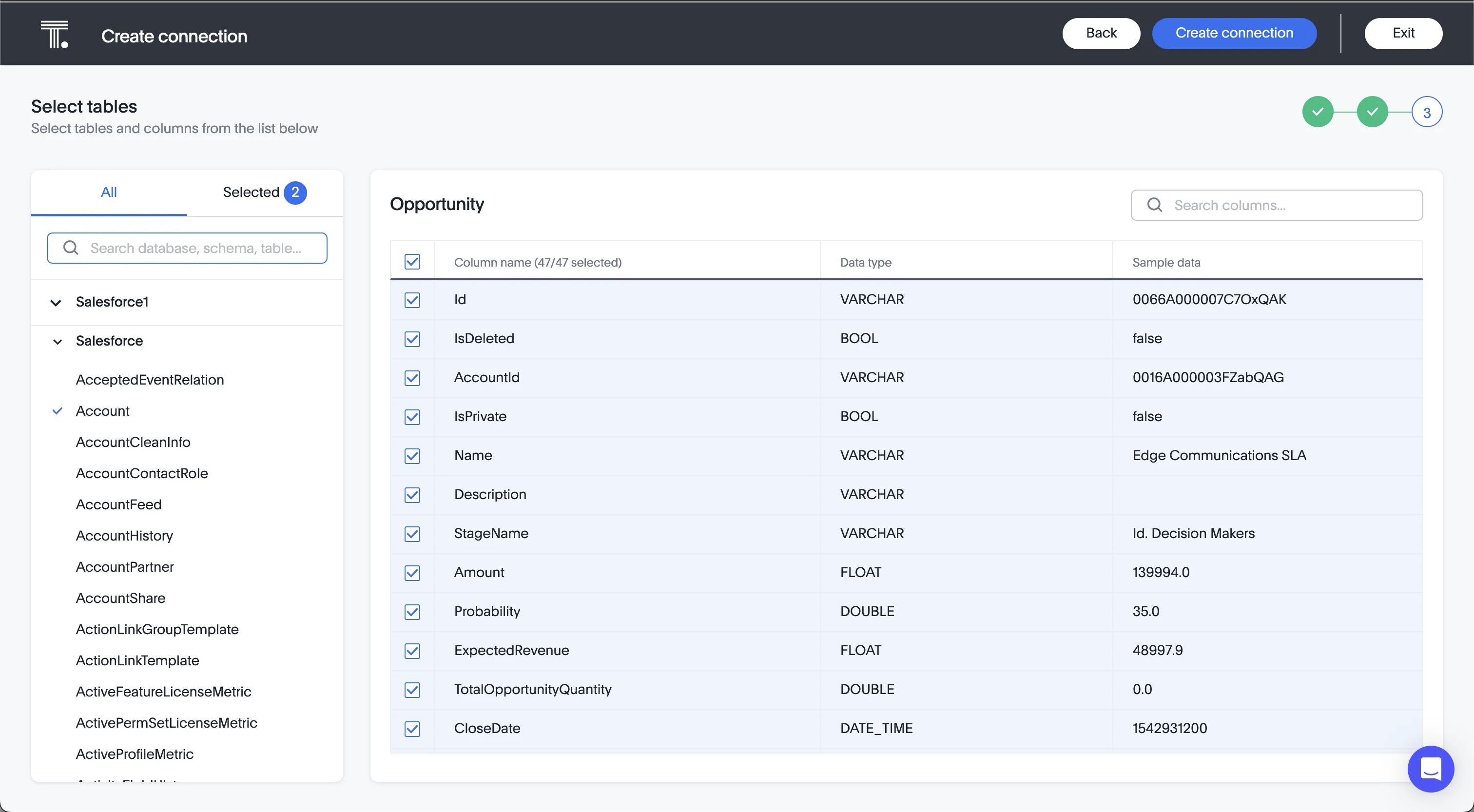
- Click Create Connection.
After you successfully configure your connection, you can build models, search, and visualize your DB2 data.
Real-Time Access to DB2 Data from Cloud Applications
At this point, you have a direct, cloud-to-cloud connection to live DB2 data from ThoughtSpot. You can model, search, and visualize your data from ThoughtSpot . For more information on gaining live access to data from more than 100 SaaS, Big Data, and NoSQL sources from cloud applications like ThoughtSpot, refer to our Connect AI page.