







Analyze SAP SuccessFactors LMS Data in Infragistics Reveal

Reveal is a data visualization solution provided by Infragistics and can be paired with the CData API Server to build dynamic dashboards from live SAP SuccessFactors LMS data. The CData API Server generates an OData API for SAP SuccessFactors LMS, which is natively consumable in Reveal. In this article, we walk through connecting to SAP SuccessFactors LMS in API Server and connecting to the API Server from Infragistics Reveal to create a simple dashboard.
Connect to SAP SuccessFactors LMS from API Server
CData API Server uses a straightforward, point-and-click interface to connect to data sources and generate APIs.
- Open API Server and click Settings -> Connection -> Add Connection
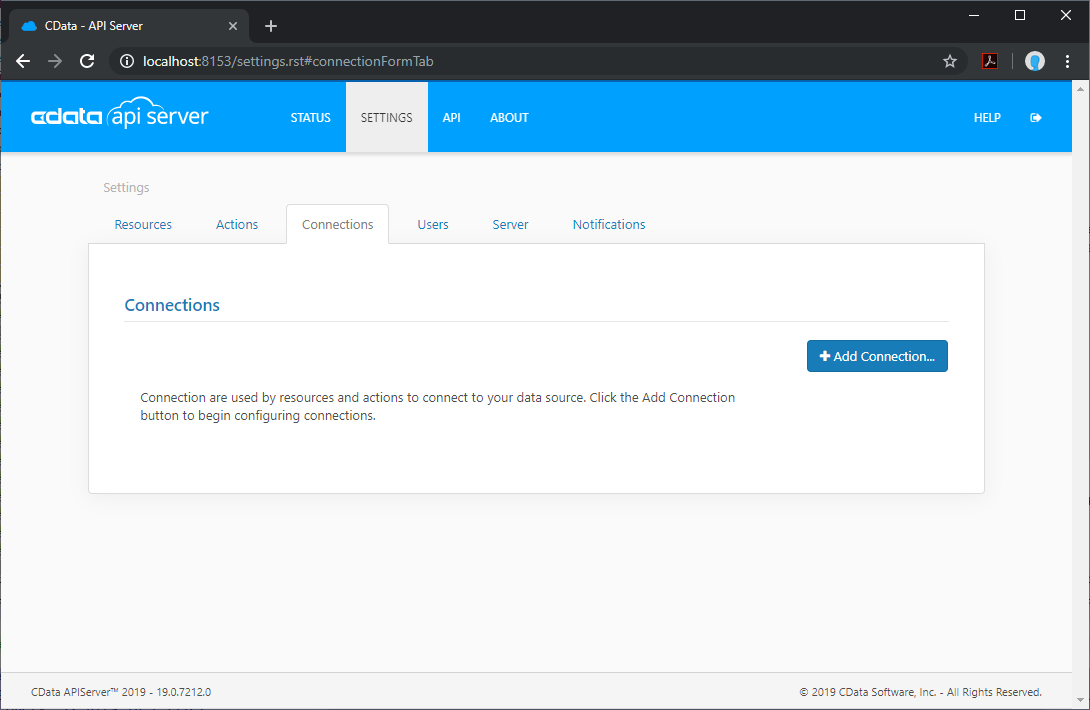
- Select "SAP SuccessFactors LMS"
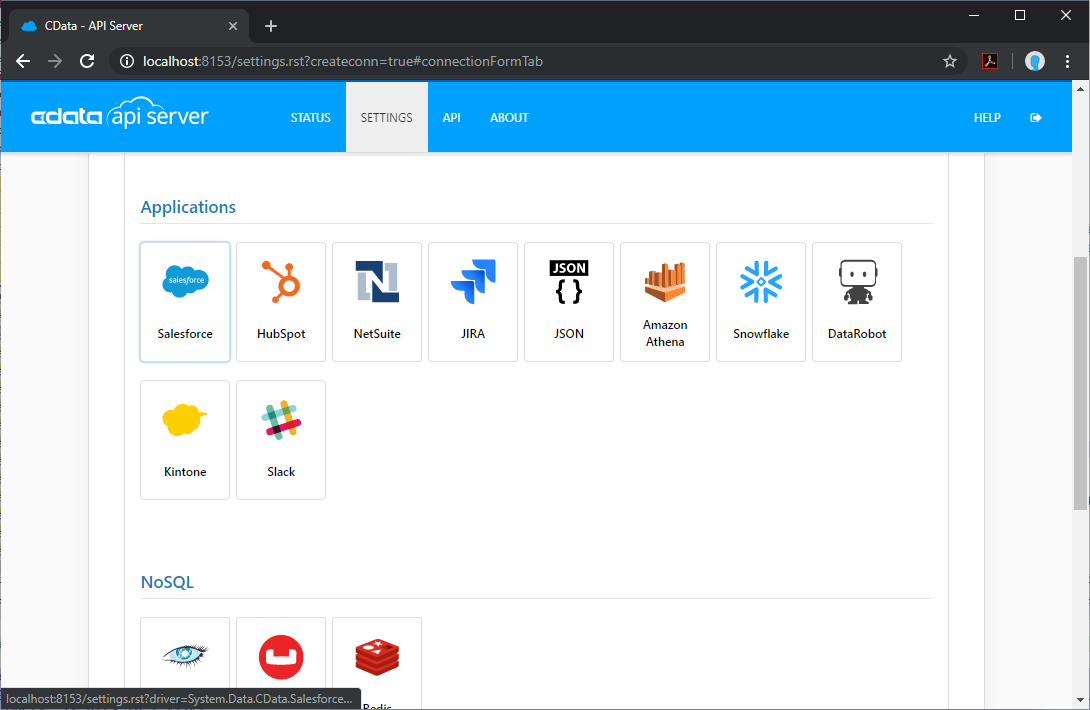
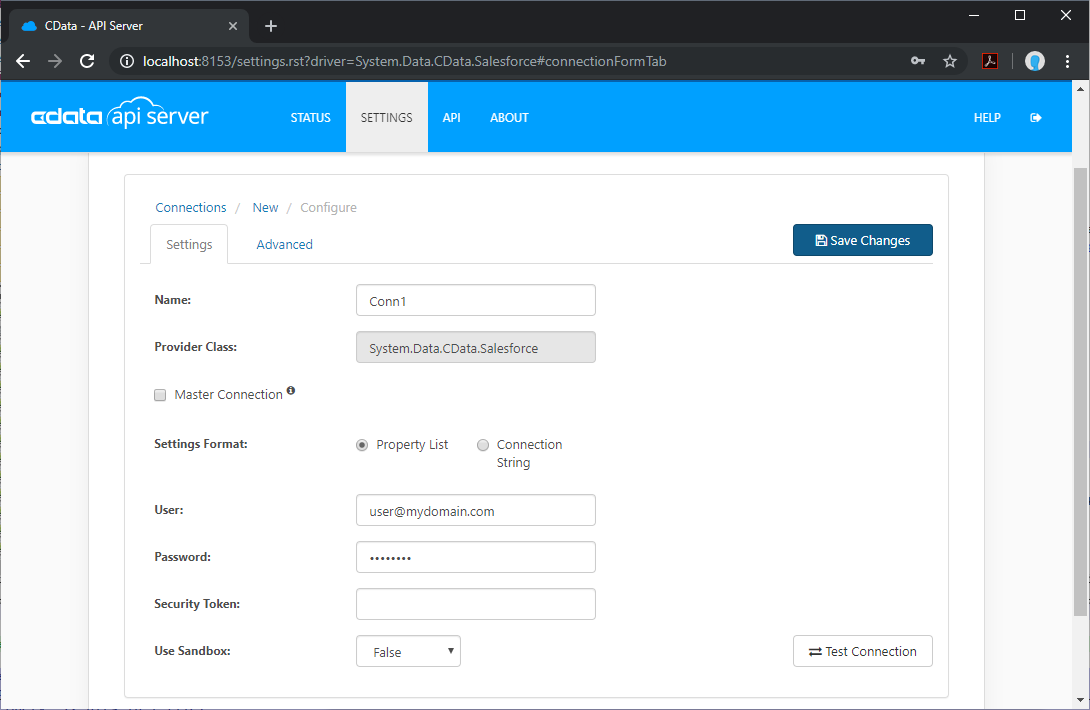
- Enter the necessary authentication properties to connect to SAP SuccessFactors LMS.
SAP SuccessFactors LMS uses OAuth authentication. Before connecting, you must configure an OAuth application tied to your SAP SuccessFactors LMS account.
To establish a connection, set the following properties:
- User: Your SAP SuccessFactors LMS username.
- CompanyId: Your SAP SuccessFactors company identifier.
- Url: The SAP SuccessFactors API URL (e.g., https://api4.successfactors.com).
- OAuthClientId: The client Id assigned when you registered your custom OAuth application.
- OAuthClientSecret: The client secret assigned when you registered your custom OAuth application.
See the Getting Started chapter of the help documentation for a guide to creating a custom OAuth app and using OAuth.
Add SAP SuccessFactors LMS Resource Definitions in API Server
After connecting to SAP SuccessFactors LMS, create Resources, which represent API endpoints for SAP SuccessFactors LMS data.
- Click Settings -> Resources -> Add Resource
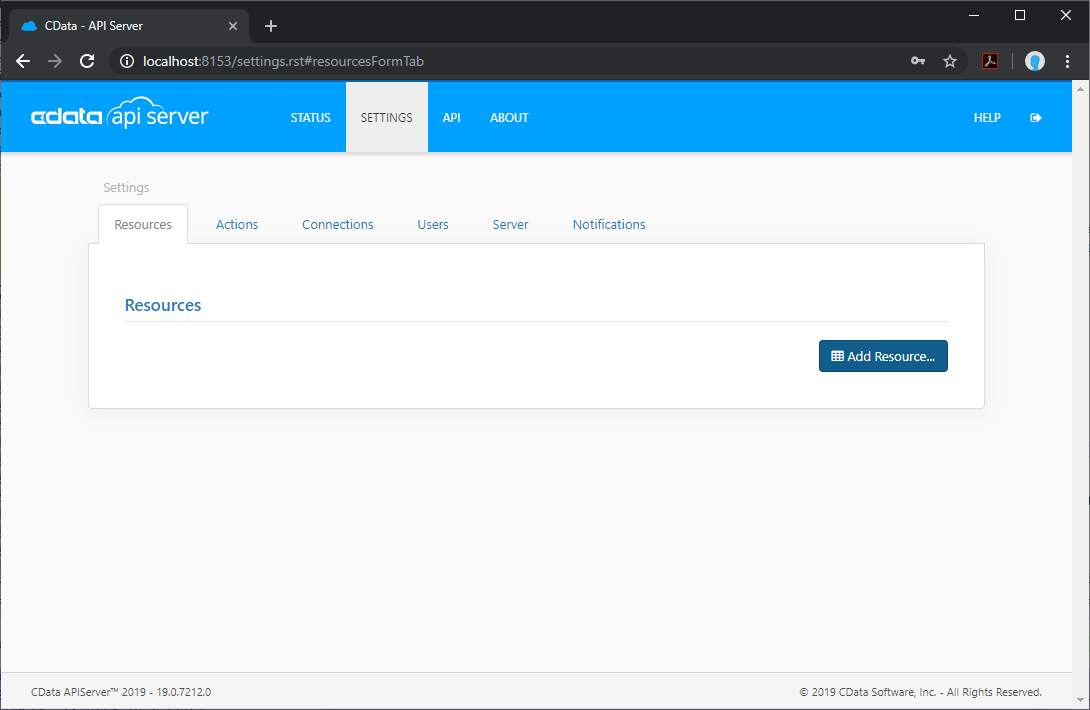
- Select the SAP SuccessFactors LMS connection
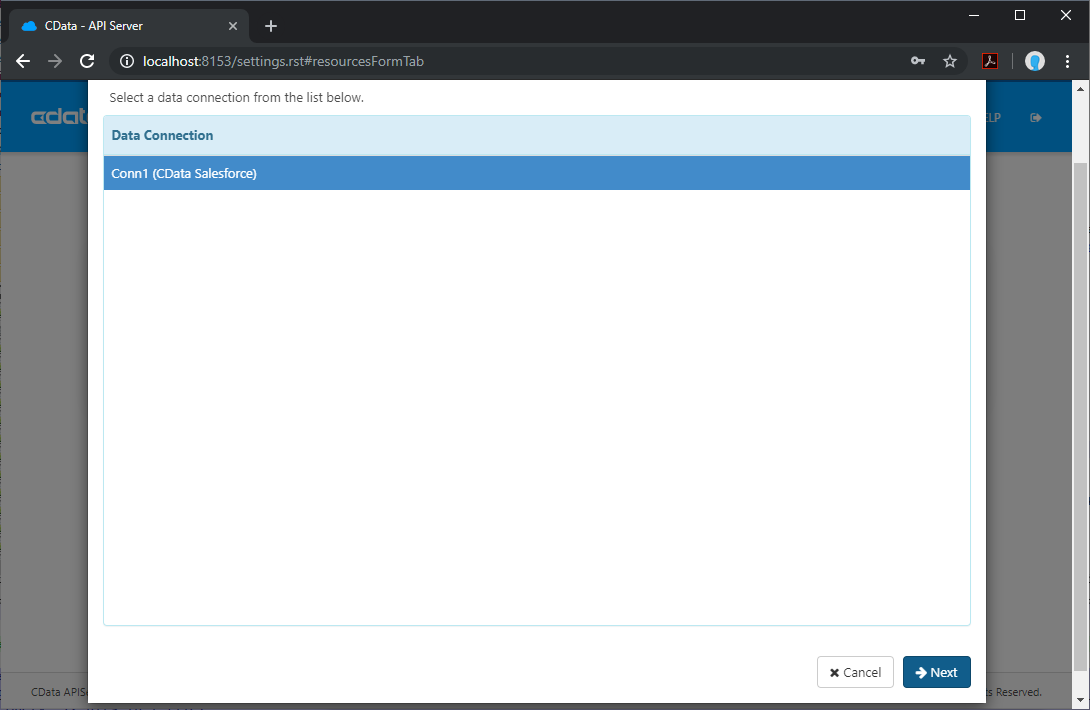
- Select the table you wish to retrieve and click Next
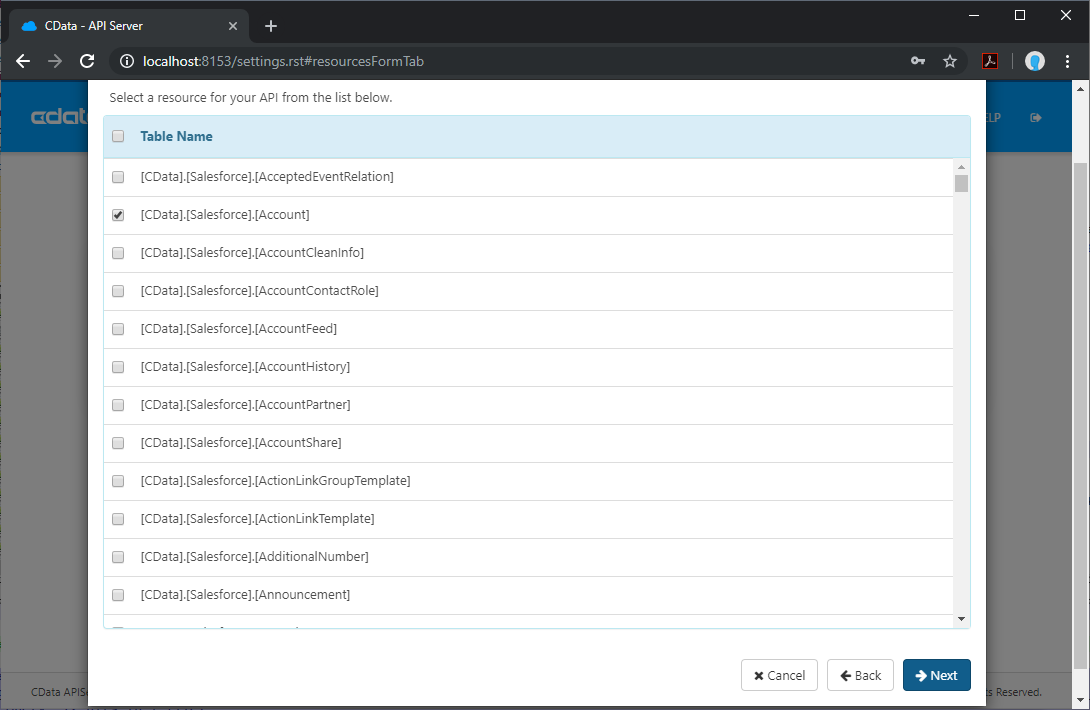
- (Optional) Edit the resource to select specific fields and more
- Save the settings
Add an API Server User
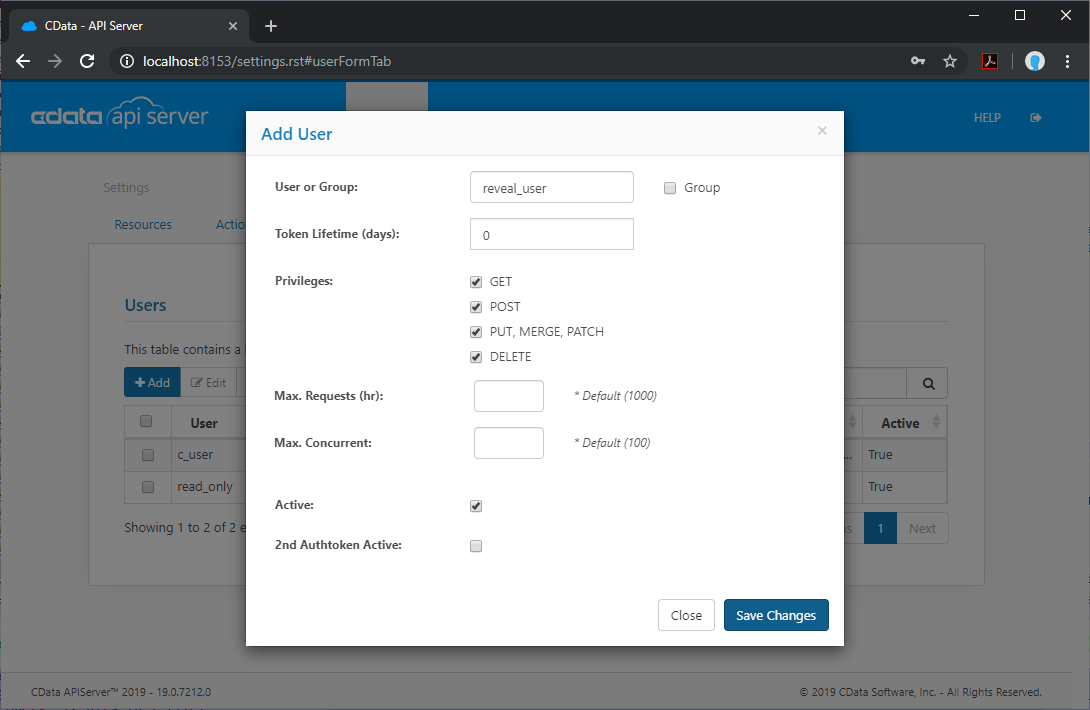
Create a User to connect to SAP SuccessFactors LMS from Reveal through API Server.
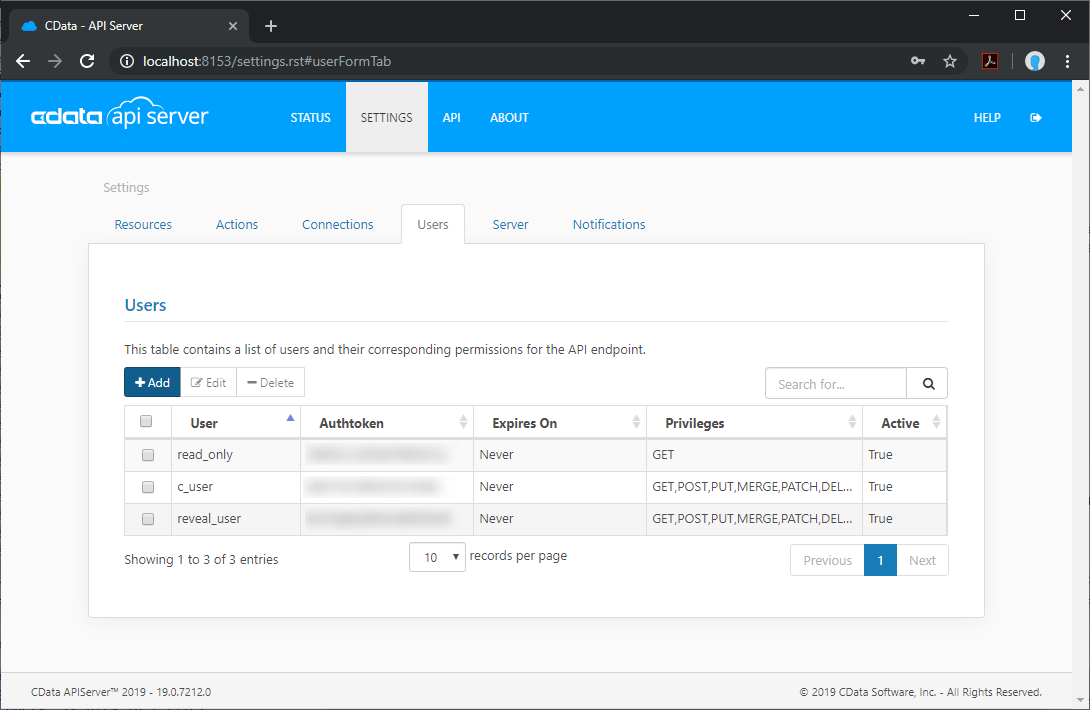
- Click Settings -> Users
- Click Add
- Configure a User with access to the SAP SuccessFactors LMS Connection and Resource(s)
(Optional) Configure Cross-Origin Resource Sharing (CORS)
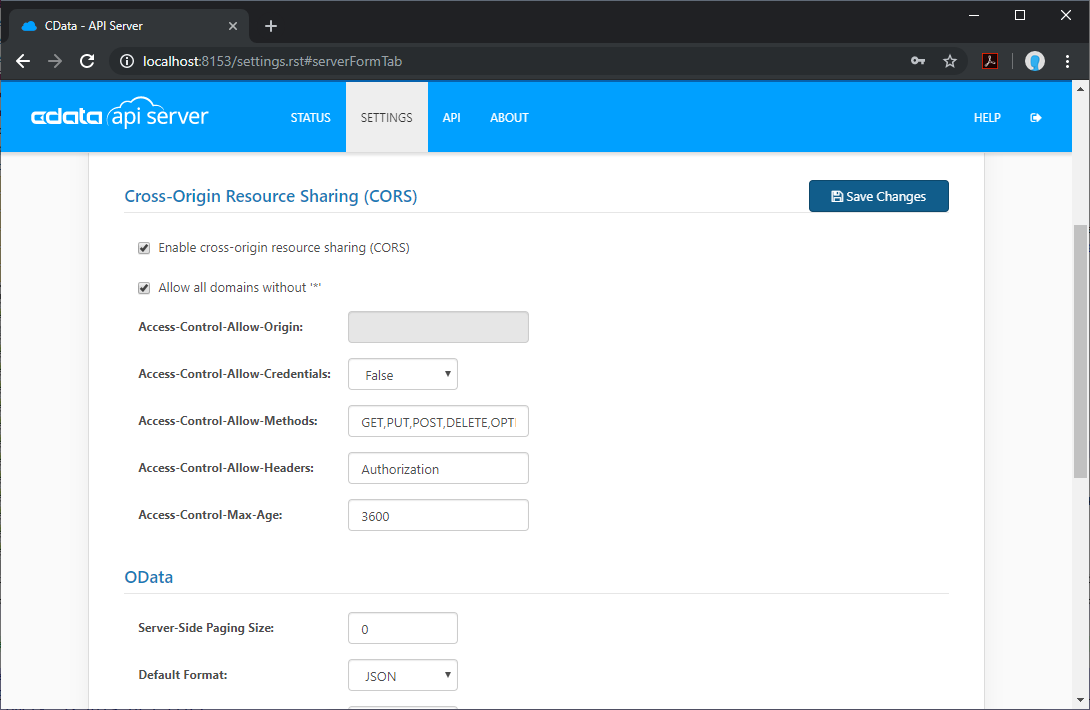
When accessing and connecting to multiple different domains from an application such as Ajax, there is a possibility of violating the limitations of cross-site scripting. In that case, configure the CORS settings in Settings -> Server.
- Enable cross-origin resource sharing (CORS): ON
- Allow all domains without '*': ON
- Access-Control-Allow-Methods: GET, PUT, POST, OPTIONS
- Access-Control-Allow-Headers: Authorization
Save the changes to the settings.
Create a Dashboard in Reveal
With the API Server configured, we can visualize SAP SuccessFactors LMS data in Reveal.
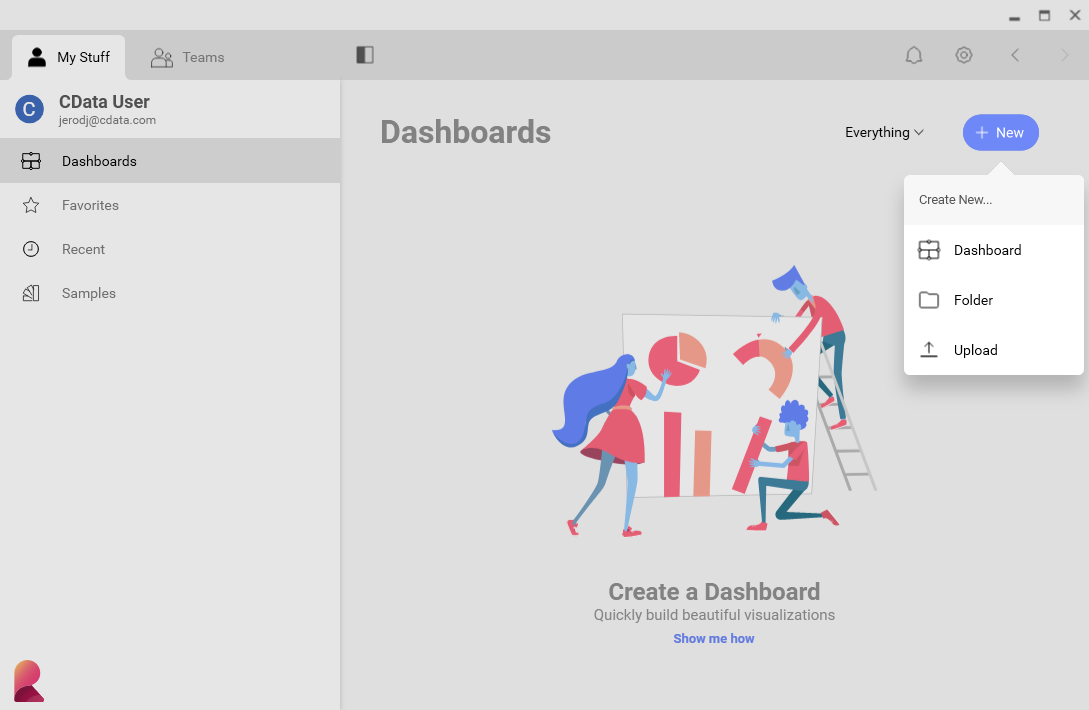
- Log into Reveal and click Dashboards -> New
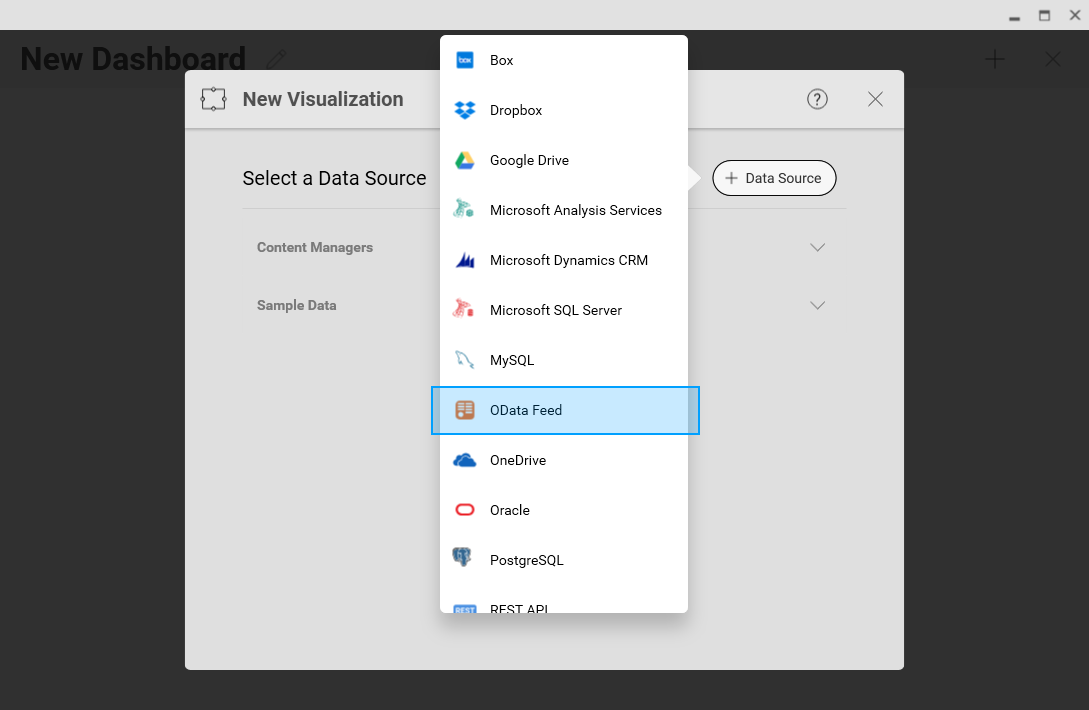
- Click Data Source -> OData Feed
- Specify the API Server API endpoint URL, for example: https://serverurl/api.rsc
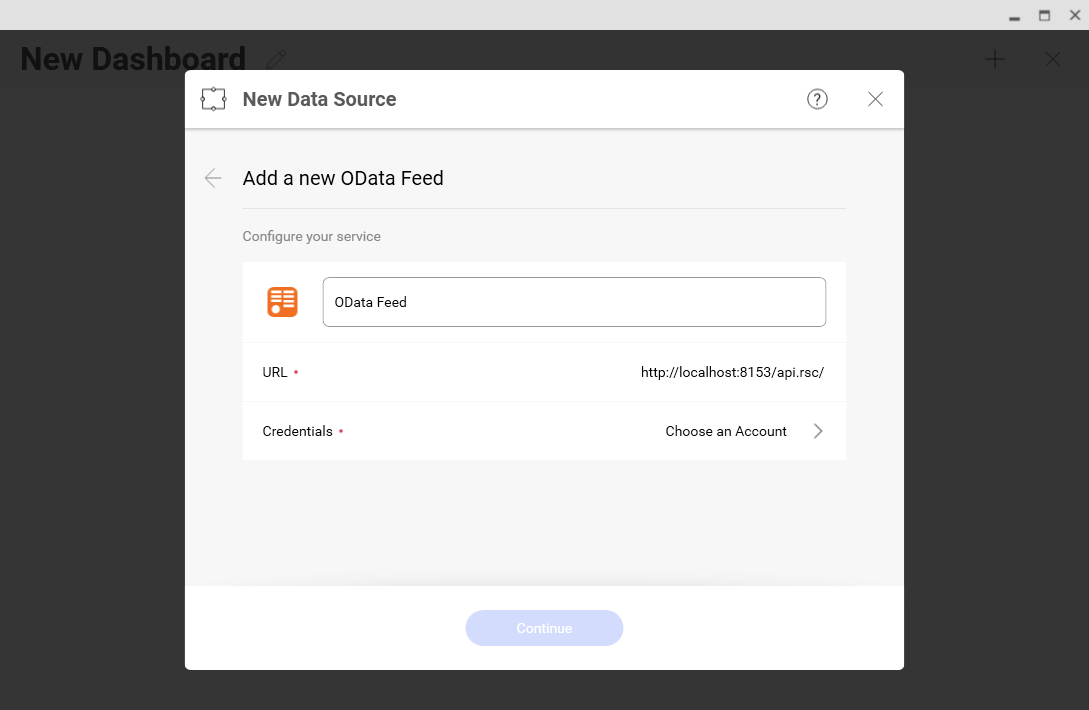
- Select Generic Credentials and specify the API Server username and authentication token
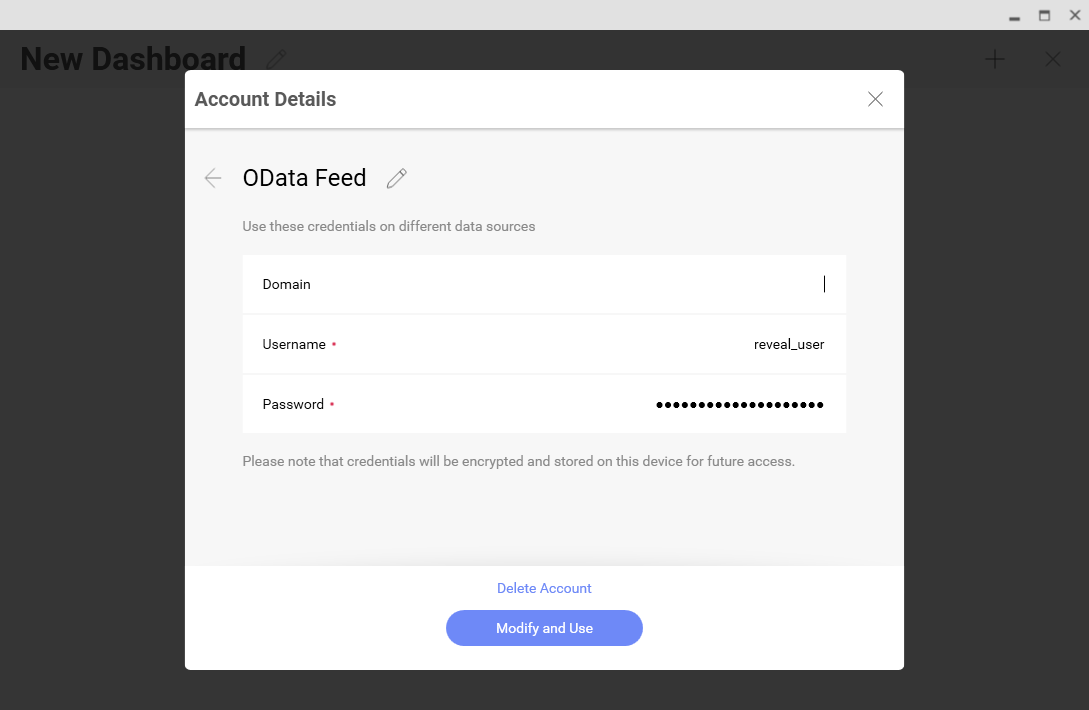
- Select the entity you wish to visualize
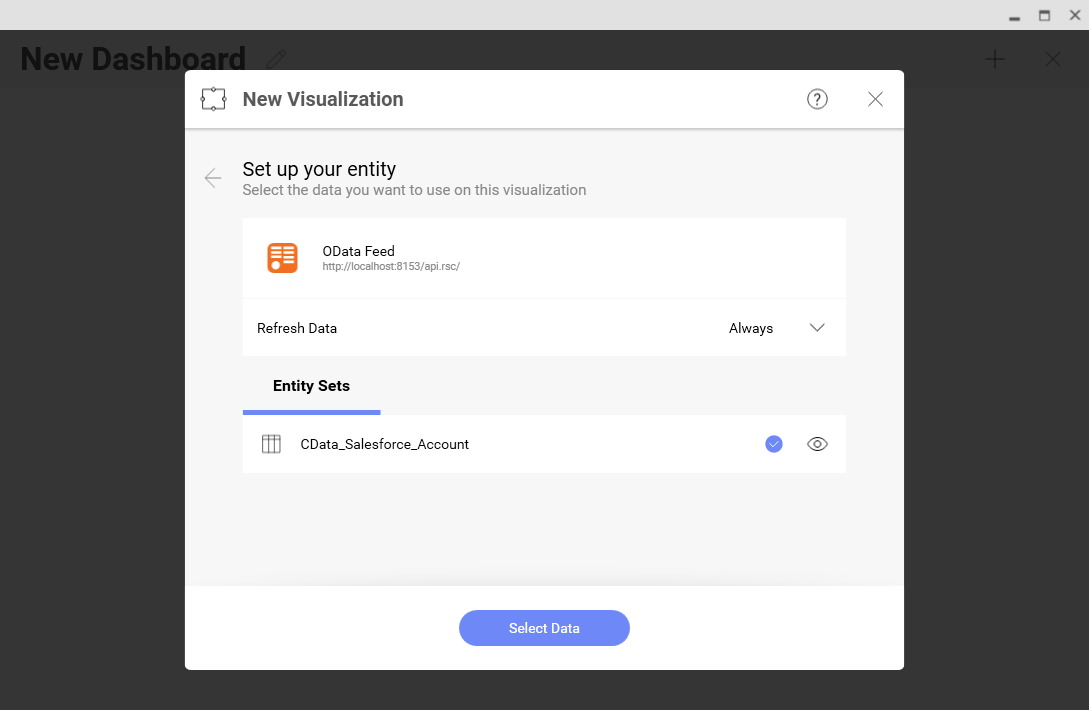
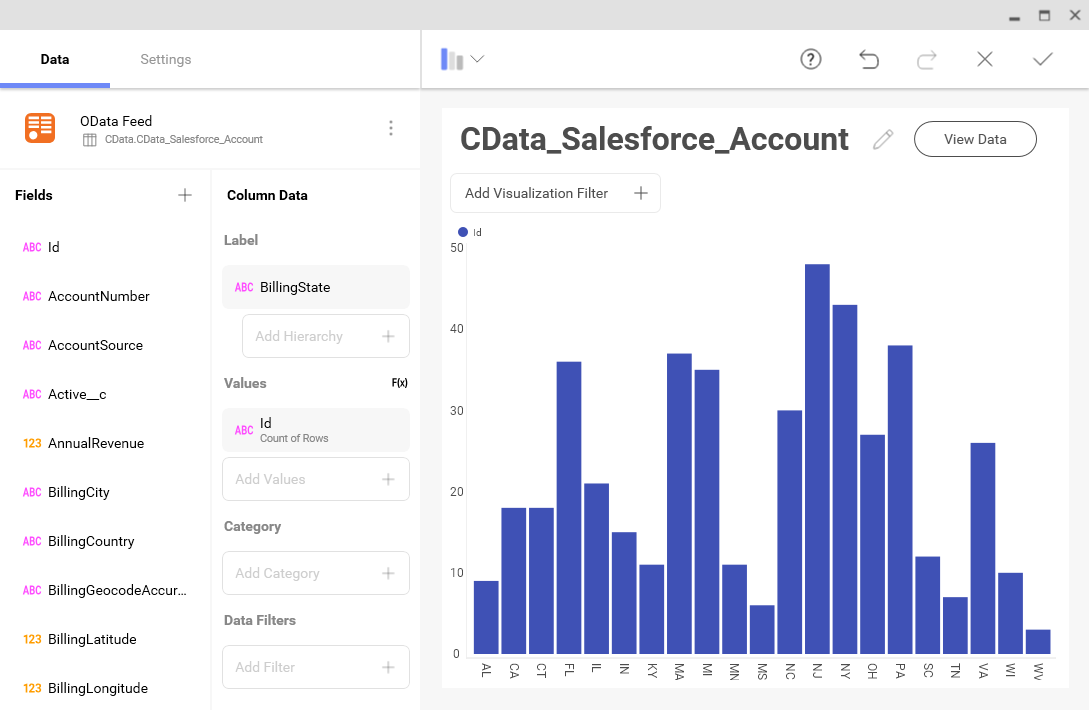
- Select fields and choose a chart type
More Information & Free Trial
At this point, you have created a simple dashboard from live SAP SuccessFactors LMS data. For more information on creating OData feeds from SAP SuccessFactors LMS (and more than 150 other sources), visit the API Server page. Download a free, 30-day trial and start working live SAP SuccessFactors LMS data in tools that consume OData APIs.