







Replicate Multiple API Accounts via the CData Sync CLI

CData Sync for API is a stand-alone application that provides solutions for a variety of replication scenarios such as replicating sandbox and production instances into your database. Both Sync for Windows and Sync for Java include a command-line interface (CLI) that makes it easy to manage multiple API connections. In this article we show how to use the CLI to replicate multiple API accounts.
Configure API Connections
You can save connection and email notification settings in an XML configuration file. To replicate multiple API accounts, use multiple configuration files. Below is an example configuration to replicate API to SQLite:
Windows
<?xml version="1.0" encoding="UTF-8" ?>
<CDataSync>
  <DatabaseType>SQLite</DatabaseType>
  <DatabaseProvider>System.Data.SQLite</DatabaseProvider>
  <ConnectionString></ConnectionString>
  <ReplicateAll>False</ReplicateAll>
  <NotificationUserName></NotificationUserName>
  <DatabaseConnectionString>Data Source=C:\my.db</DatabaseConnectionString>
  <TaskSchedulerStartTime>09:51</TaskSchedulerStartTime>
  <TaskSchedulerInterval>Never</TaskSchedulerInterval>
</CDataSync>
Java
<?xml version="1.0" encoding="UTF-8" ?>
<CDataSync>
<DatabaseType>SQLite</DatabaseType>
  <DatabaseProvider>org.sqlite.JDBC</DatabaseProvider>
  <ConnectionString></ConnectionString>
  <ReplicateAll>False</ReplicateAll>
  <NotificationUserName></NotificationUserName>
  <DatabaseConnectionString>Data Source=C:\my.db</DatabaseConnectionString>
</CDataSync>
To connect to your API, configure the following properties on the Global Settings page:
- In Authentication, select the Type and fill in the required properties
- In Headers, add the required HTTP headers for your API
- In Pagination, select the Type and fill in the required properties
After the configuring the global settings, navigate to the Tables to add tables. For each table you wish to add:
- Click "+ Add"
- Set the Name for the table
- Set Request URL to the API endpoint you wish to work with
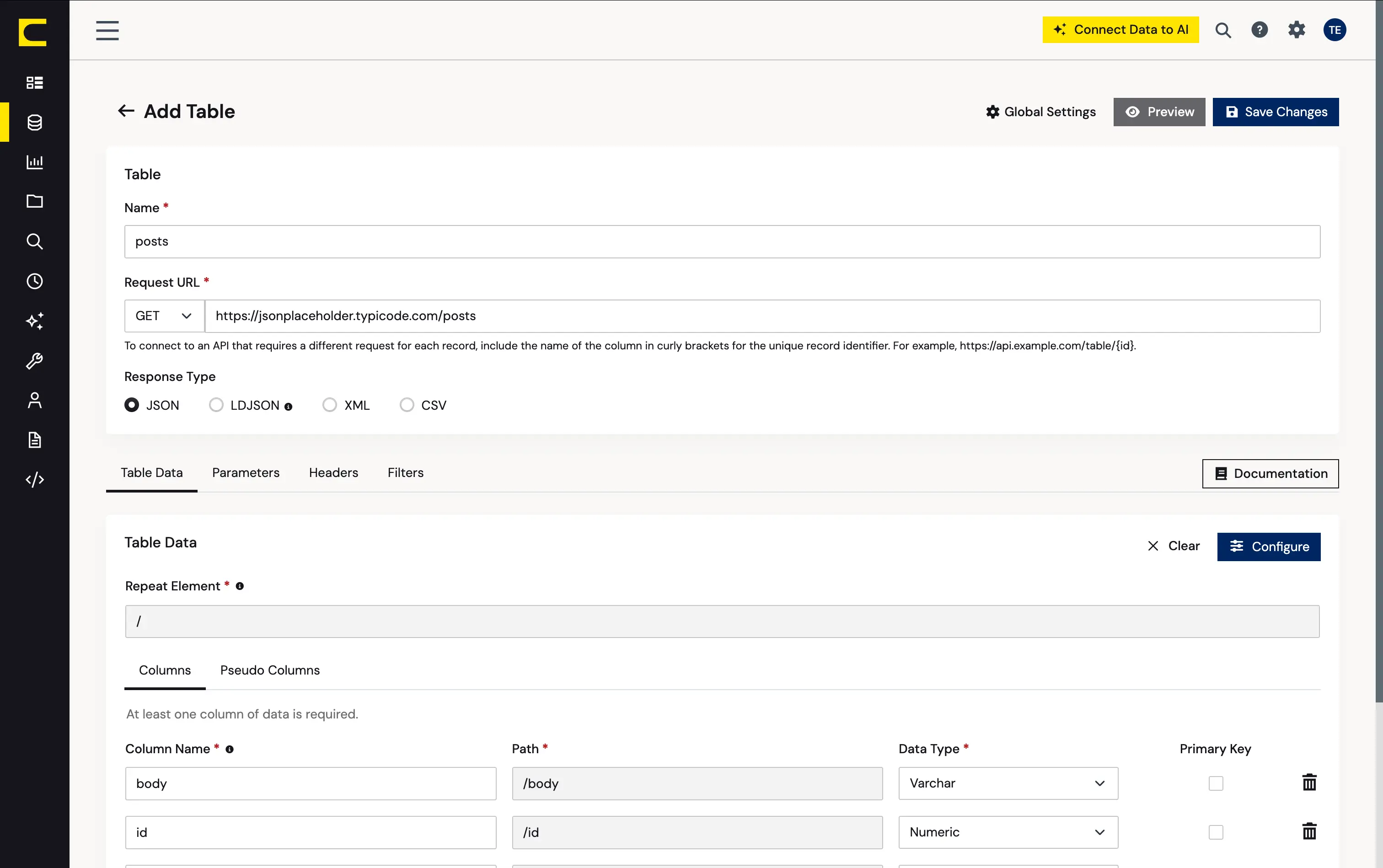
- (Optional) In Parameters, add the required URL Parameters for your API endpoint
- (Optional) In Headers, add the required HTTP headers for the API endpoint
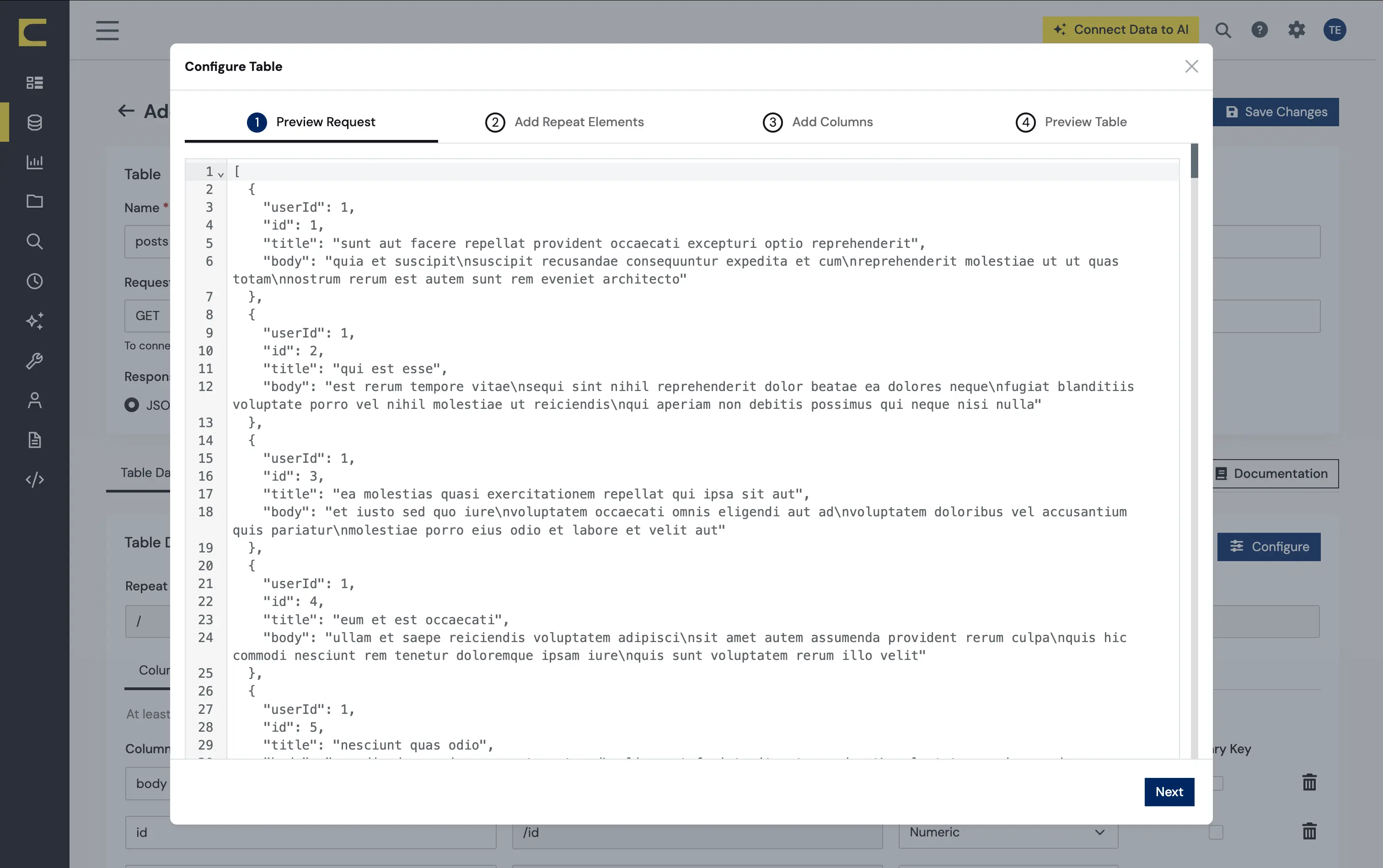
- In Table Data click " Configure"
- Review the response from the API and click "Next"
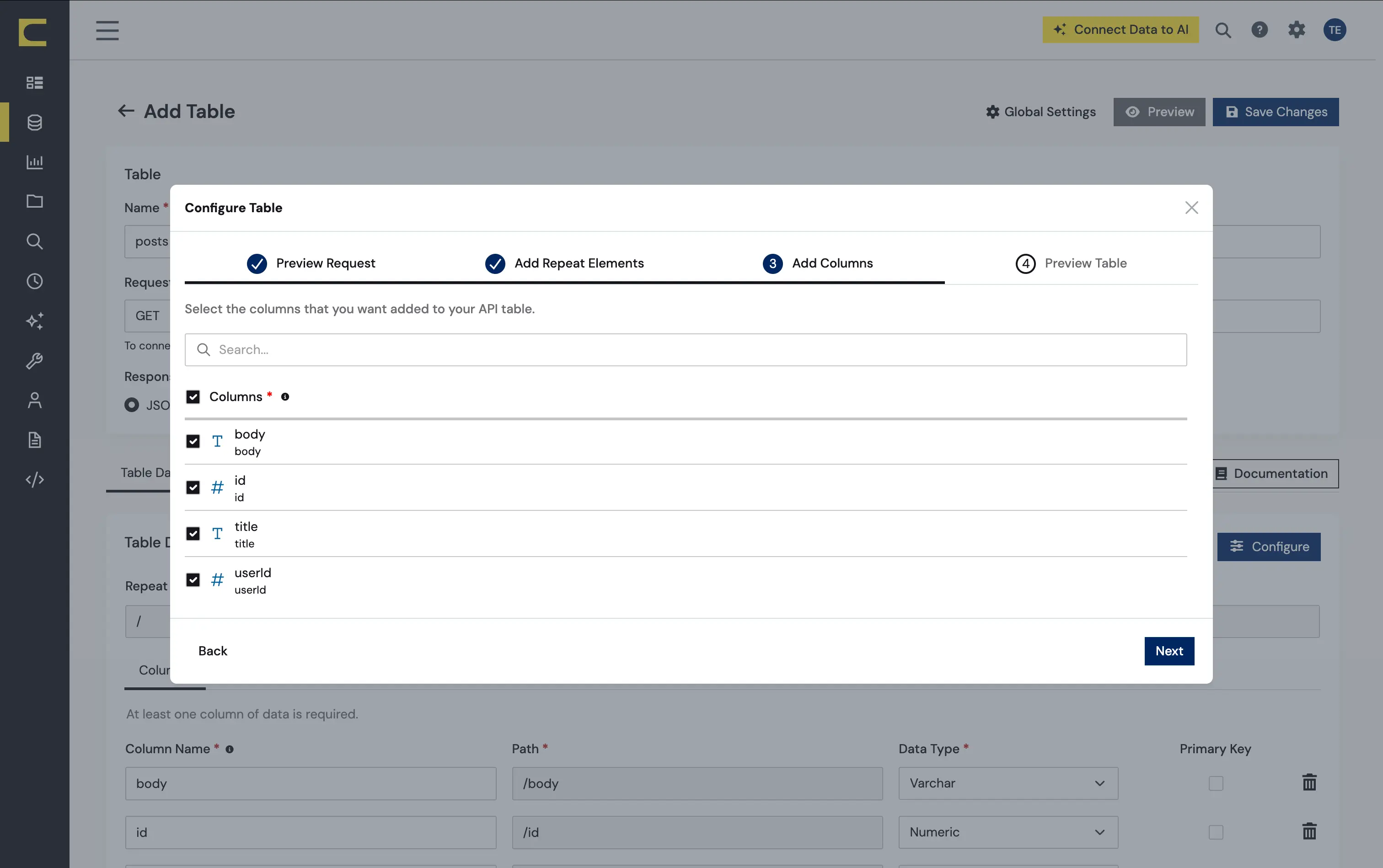
- Select which element to use as the Repeated Elements and which elements to use as Columns and click "Next"
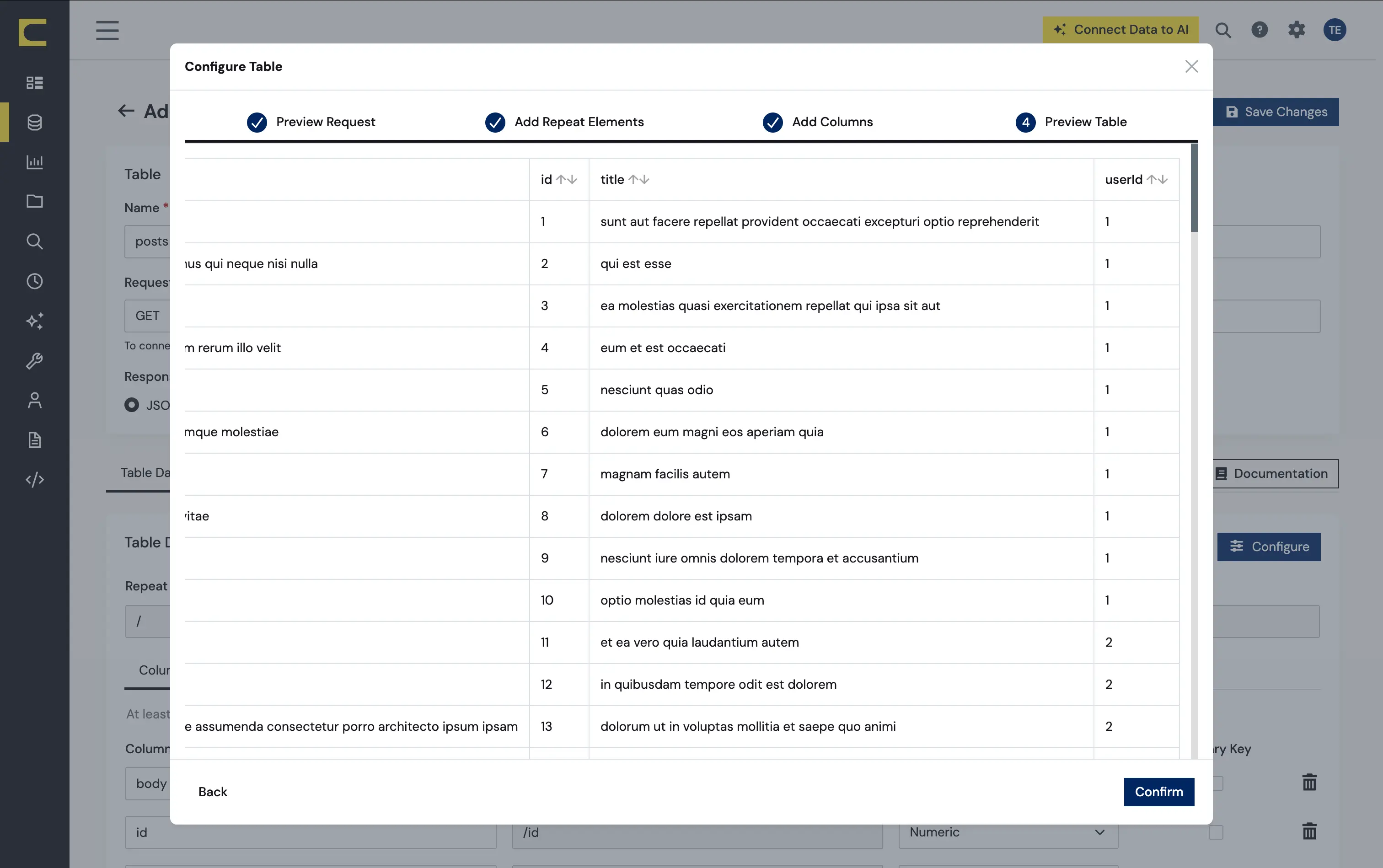
- Preview the tabular model of the API response and click "Confirm"
Configure Queries for Each API Instance
Sync enables you to control replication with standard SQL. The REPLICATE statement is a high-level command that caches and maintains a table in your database. You can define any SELECT query supported by the API API. The statement below caches and incrementally updates a table of API data:
REPLICATE posts;
You can specify a file containing the replication queries you want to use to update a particular database. Separate replication statements with semicolons. The following options are useful if you are replicating multiple API accounts into the same database:
You can use a different table prefix in the REPLICATE SELECT statement:
REPLICATE PROD_posts SELECT * FROM posts
Alternatively, you can use a different schema:
REPLICATE PROD.posts SELECT * FROM posts
Run Sync
After you have configured the connection strings and replication queries, you can run Sync with the following command-line options:
Windows
APISync.exe -g MyProductionAPIConfig.xml -f MyProductionAPISync.sql
Java
java -Xbootclasspath/p:c:\sqlitejdbc.jar -jar APISync.jar -g MyProductionAPIConfig.xml -f MyProductionAPISync.sql