





CData JDBC Drivers in DBeaver
Use hundreds of SaaS and cloud data sources from DBeaver with the SQL you already know. Find, download, activate, and connect a CData JDBC Driver without leaving the app: no JAR to register in Driver Manager, no JDBC URL to build by hand.
Available in DBeaver Community 26.2.4 and later. See pricing, licensing, and FAQs.
How it works
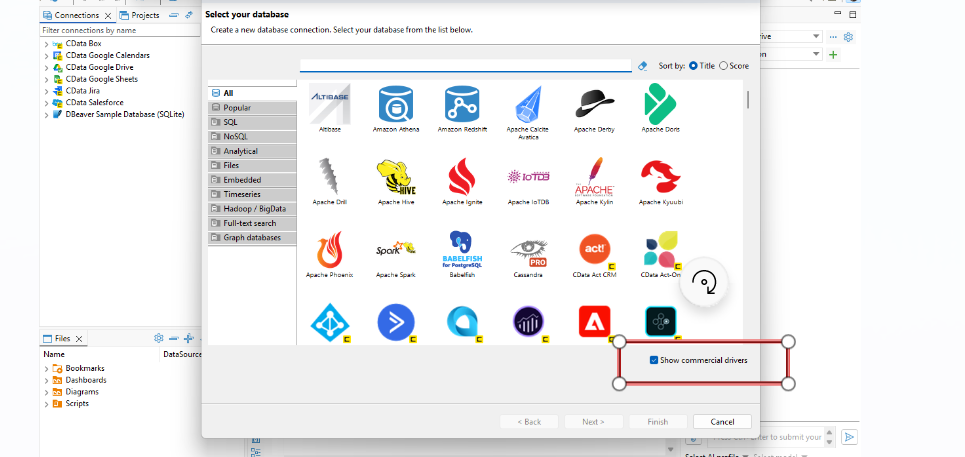
DBeaver lists the CData JDBC Drivers in its Connect to a database wizard. Check Show commercial drivers, open the CData category, pick a source, and the rest happens in DBeaver.
Quick start
You need DBeaver Community 26.2.4 or later and Java 17 or later.
- In the Database menu, click New Database Connection to open the Connect to a database wizard.
- Check Show commercial drivers, open the CData category, select a driver (for example, Salesforce), and click Download.
- In the CData driver license section, click Start 30-day trial, Activate license, or Buy license.
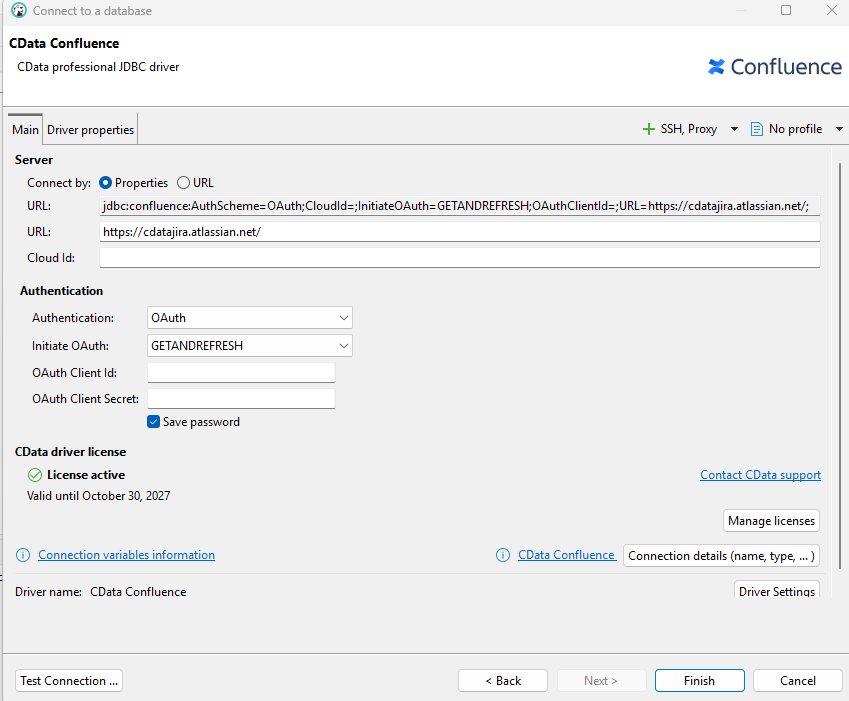
- Choose an authentication scheme, enter the connection properties, and click Test Connection.
- Click Finish, open a SQL editor on the new connection, and query your data.
Each source's tables and views show up in the Database Navigator. Standard SQL works the same way it does against a database, and the driver pushes filters and joins down to the source API where it can:
-- Salesforce objects appear as relational tables
SELECT a.Name, a.AnnualRevenue, COUNT(o.Id) AS OpenOpportunities
FROM Account a
LEFT JOIN Opportunity o
  ON o.AccountId = a.Id AND o.IsClosed = false
WHERE a.Industry = 'Healthcare'
GROUP BY a.Name, a.AnnualRevenue
ORDER BY a.AnnualRevenue DESC
Already installed a driver, or using an earlier version of DBeaver? Follow the manual setup steps in the DBeaver KB article to register the driver JAR yourself.
Explore the data before you build
Before you build a pipeline, an integration, or an AI agent on a source, use DBeaver to see how its objects relate. Browse the tables and their columns, check how the objects relate to each other, and test the queries you plan to run.
The SQL you validate in DBeaver runs through the same CData JDBC Driver your Java code, ETL job, or agent will use, so what works here works there.
JDBC Drivers available in DBeaver
Select a source to learn more about its CData JDBC Driver.


News and articles
Have more questions?
- See DBeaver pricing and licensing
- Read our JDBC Driver frequently asked questions and troubleshooting tips
- Join the CData Community