





Marketo Python Connector
Read, write, and update Marketo with Python
Easily connect Python-based data access, visualization, ORM, ETL, AI/ML, and custom apps with Marketo!




Python Connector Libraries for Marketo Data Connectivity. Integrate Marketo with popular Python tools like Pandas, SQLAlchemy, Dash & petl. Easy-to-use Python Database API (DB-API) Modules connect Marketo data with Python and any Python-based applications.
Features
Specifications

CData Python connectors in action!
Watch the video overview for a first hand-look at the powerful data integration capabilities included in the CData Python Connectors.
Watch the Python Connector Video OverviewPython connectivity with Marketo
Full-featured and consistent SQL access to any supported data source through Python
Connecting to Marketo with Python
CData Python Connectors leverage the Database API (DB-API) interface to make it easy to work with Marketo from a wide range of standard Python data tools. Connecting to and working with your data in Python follows a basic pattern, regardless of data source:
- Configure the connection properties to Marketo
- Query Marketo to retrieve or update data
- Connect your Marketo data with Python data tools.
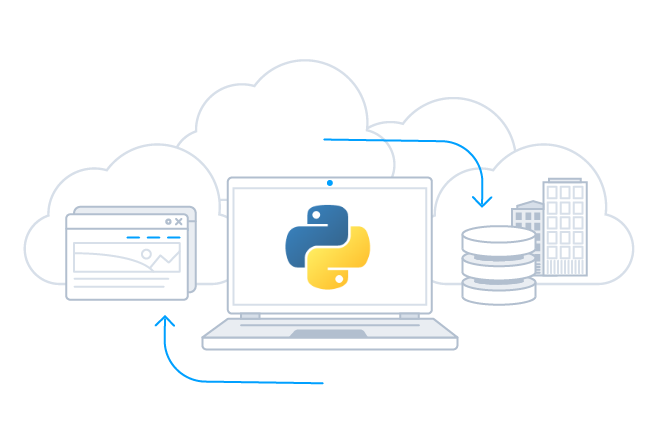
Connecting to Marketo in Python
To connect to your data from Python, import the extension and create a connection:
Once you import the extension, you can work with all of your enterprise data using the python modules and toolkits that you already know and love, quickly building apps that help you drive business.
import cdata.marketo as mod
conn = mod.connect("[email protected]; Password=password;")

#Create cursor and iterate over results
cur = conn.cursor()
cur.execute("SELECT * FROM Leads")

rs = cur.fetchall()

for row in rs:
print(row)
engine = create_engine("marketo///Password=password&User=user")

df = pandas.read_sql("SELECT * FROM Leads", engine)

df.plot()
plt.show()
Visualize Marketo Data with pandas
The data-centric interfaces of the Marketo Python Connector make it easy to integrate with popular tools like pandas and SQLAlchemy to visualize data in real-time.
More than read-only: full update/CRUD support
Marketo Connector goes beyond read-only functionality to deliver full support for Create, Read Update, and Delete operations (CRUD). Your end-users can interact with the data presented by the Marketo Connector as easily as interacting with a database table.
AI-assisted development with CData CLI
Build Marketo integrations faster with AI that understands your schema
Schema-aware AI
CData CLI gives AI coding tools access to your Marketo schema. No more guessing table names or column types—AI sees the same metadata in your Python Connectors.
Your AI Knows SQL
How to find table names, column names, and how to generate SQL syntax are things that AI knows well from millions of training data. No need for customization, no hallucinations. Your AI acts like a domain specialist to Marketo.
More Accurate, More Token-Efficient
With CData CLI's queryable schema detection and highly efficient queries with filters, aggregation, joins with correct pushdown, your AI will achieve more accuracy with less token usage.
Popular Python Videos:
